> ## Documentation Index
> Fetch the complete documentation index at: https://docs.fynn.eu/llms.txt
> Use this file to discover all available pages before exploring further.
# Overview
> Configure accounting settings and integrations.
## Accounting Settings
You can find the settings under "Settings" > ["Accounting"](https://app.fynn.eu/settings/accounting/cost-centres).
### Ledger Accounts
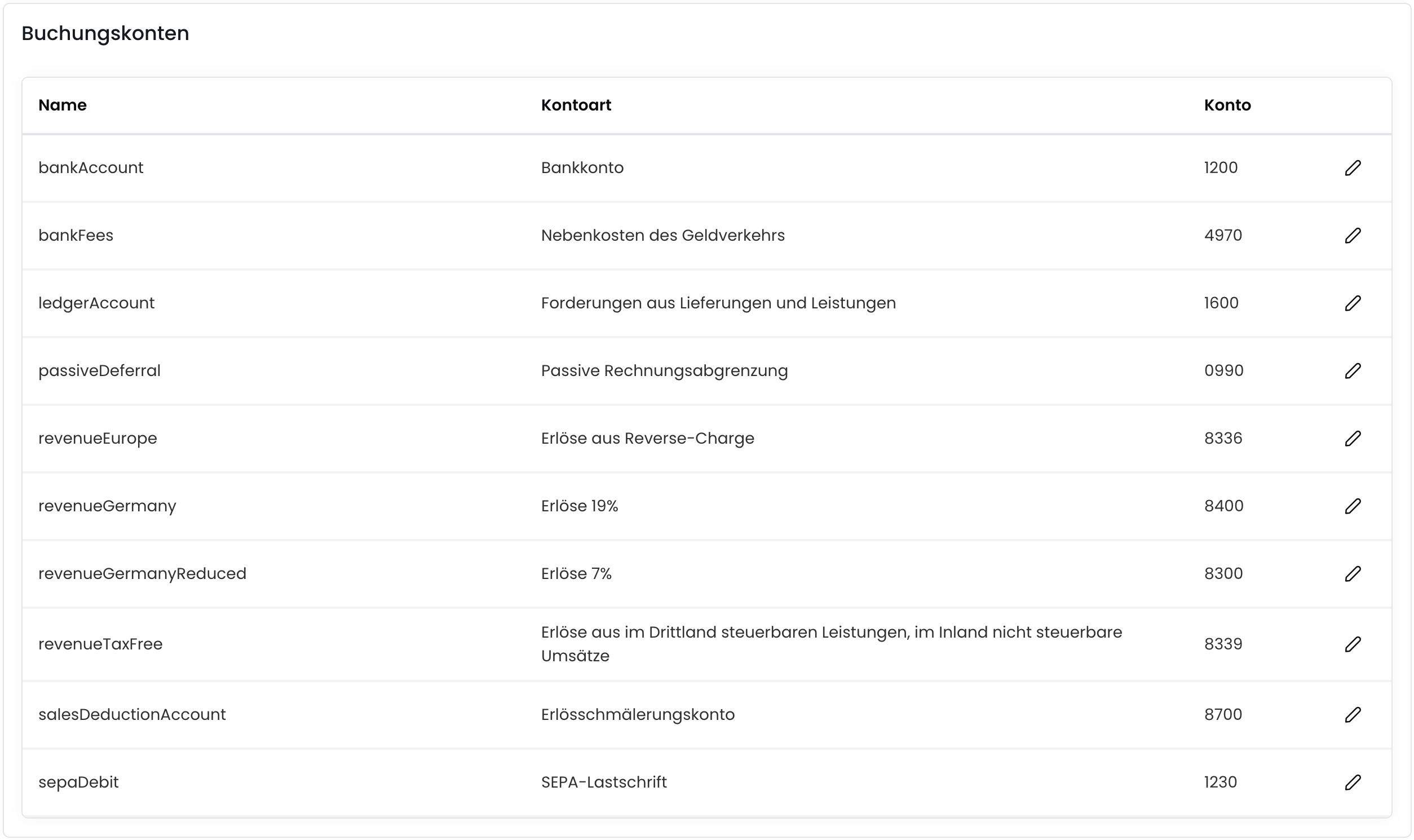
In the ledger accounts, you can configure the accounts for your accounting. Here you can set the accounts for your revenue, costs, and VAT.
 ### Postings
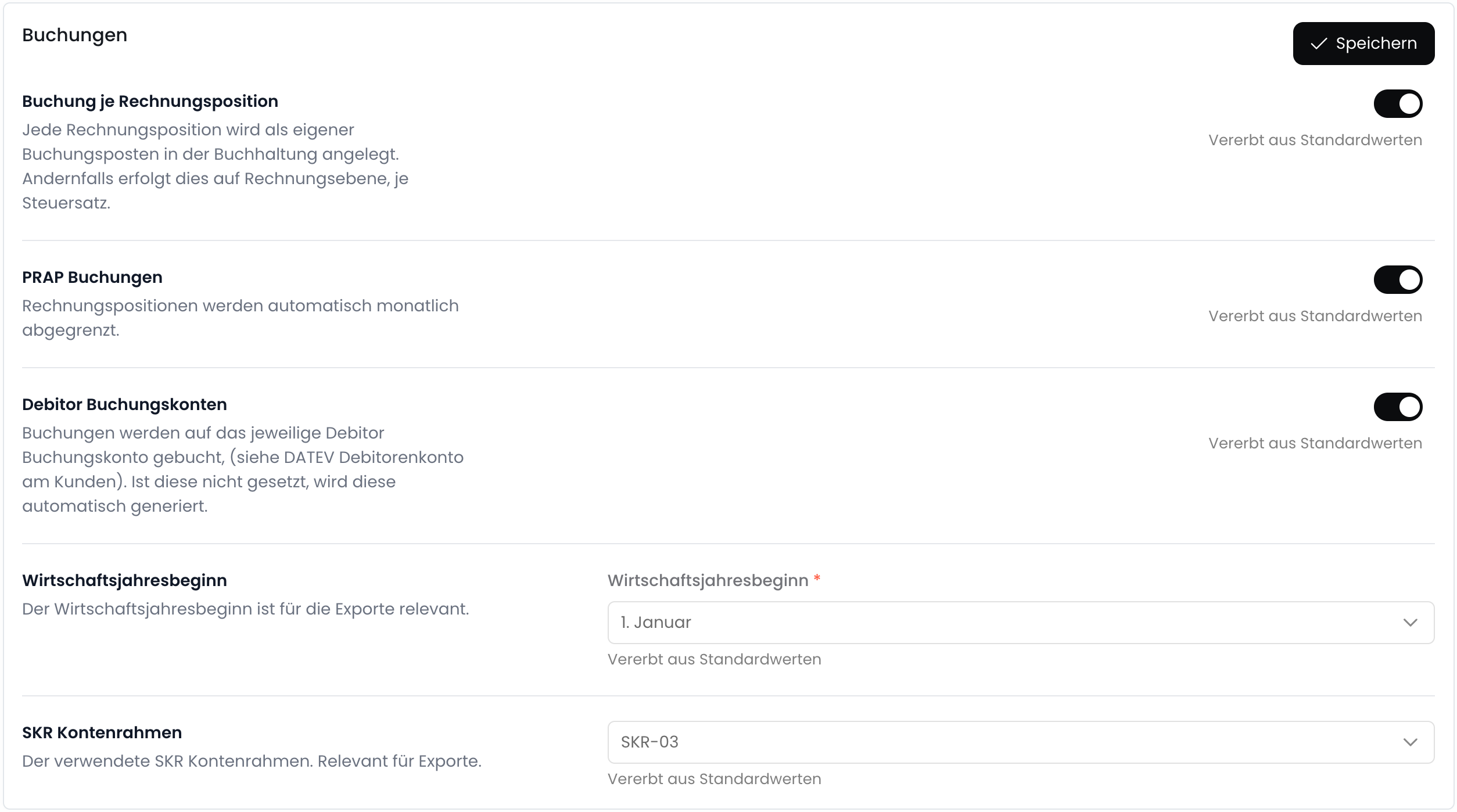
In the postings section, you can configure the accounting settings. Here you can set the settings for posting items, deferred revenue, and more.
### Postings
In the postings section, you can configure the accounting settings. Here you can set the settings for posting items, deferred revenue, and more.
 ## Integrations
Fynn currently supports integration with the following accounting programs:
Die DATEV-Integration ermöglicht es dir, Kundenstämme, Buchungen und Rechnungen aus Fynn in dein DATEV-System zu übertragen.
To set up an integration, click on the corresponding integration and follow the further steps.
## Additional Features
Export postings in DATEV format.
Automatically create passive accruals.
## Additional Invoice Recipients
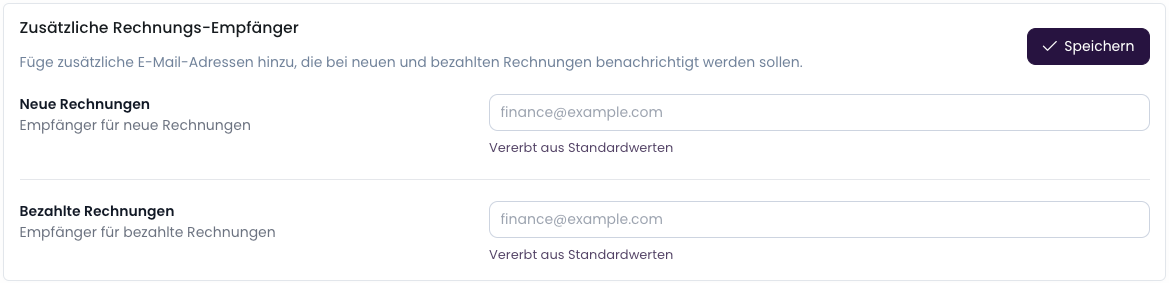
In the settings, you can add additional invoice recipients. They will receive a copy of the invoice via email.
You can find the setting under "Settings" > "Notifications" > "Additional Invoice Recipients".
## Integrations
Fynn currently supports integration with the following accounting programs:
Die DATEV-Integration ermöglicht es dir, Kundenstämme, Buchungen und Rechnungen aus Fynn in dein DATEV-System zu übertragen.
To set up an integration, click on the corresponding integration and follow the further steps.
## Additional Features
Export postings in DATEV format.
Automatically create passive accruals.
## Additional Invoice Recipients
In the settings, you can add additional invoice recipients. They will receive a copy of the invoice via email.
You can find the setting under "Settings" > "Notifications" > "Additional Invoice Recipients".