> ## Documentation Index
> Fetch the complete documentation index at: https://docs.fynn.eu/llms.txt
> Use this file to discover all available pages before exploring further.
# Notifications
> Configure notifications and emails.
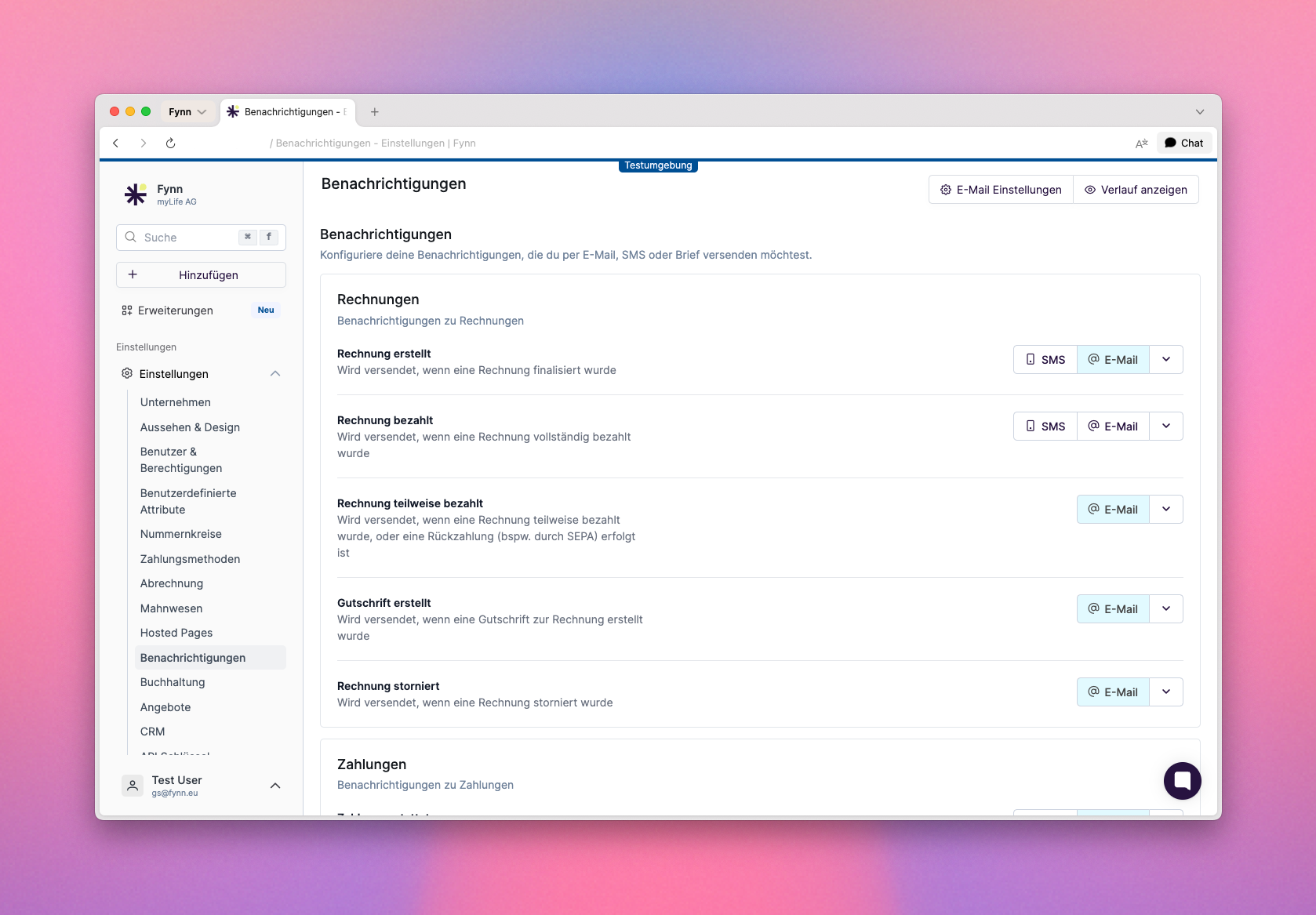 Fynn offers a variety of notifications that you can customize to be informed about important events in your organization. These notifications can be sent via email or through other channels.
## Multilingual Email Notifications
Email notifications are available in **German and English**. The language is automatically determined based on the customer profile.
Fynn supports multilingual email templates. Each notification can have a separate German and English template, which are edited and versioned independently.
**How it works:**
* Customers automatically receive emails in the language configured in their profile ("Language" field)
* In the template editor, switch between the German and English versions using **language tabs**
* Use the built-in **AI translation** to translate the German template to English with a single click
* Review and edit the generated translation before saving
* **Global email headers and footers** can also be configured per language
* System texts (e.g. "Managing Director", "Open email in browser") are automatically displayed in the customer's language
If no English template is configured for a notification, the German version is used automatically. You can add English templates gradually.
## Configure Notifications
To configure notifications, go to [Settings > Notifications](https://app.fynn.eu/settings/notifications). Here you can view and customize the various available notifications.
For each notification, you can specify whether it is enabled and which template is used.
### Customize Notifications
Fynn offers a variety of notifications that you can customize to be informed about important events in your organization. These notifications can be sent via email or through other channels.
## Multilingual Email Notifications
Email notifications are available in **German and English**. The language is automatically determined based on the customer profile.
Fynn supports multilingual email templates. Each notification can have a separate German and English template, which are edited and versioned independently.
**How it works:**
* Customers automatically receive emails in the language configured in their profile ("Language" field)
* In the template editor, switch between the German and English versions using **language tabs**
* Use the built-in **AI translation** to translate the German template to English with a single click
* Review and edit the generated translation before saving
* **Global email headers and footers** can also be configured per language
* System texts (e.g. "Managing Director", "Open email in browser") are automatically displayed in the customer's language
If no English template is configured for a notification, the German version is used automatically. You can add English templates gradually.
## Configure Notifications
To configure notifications, go to [Settings > Notifications](https://app.fynn.eu/settings/notifications). Here you can view and customize the various available notifications.
For each notification, you can specify whether it is enabled and which template is used.
### Customize Notifications
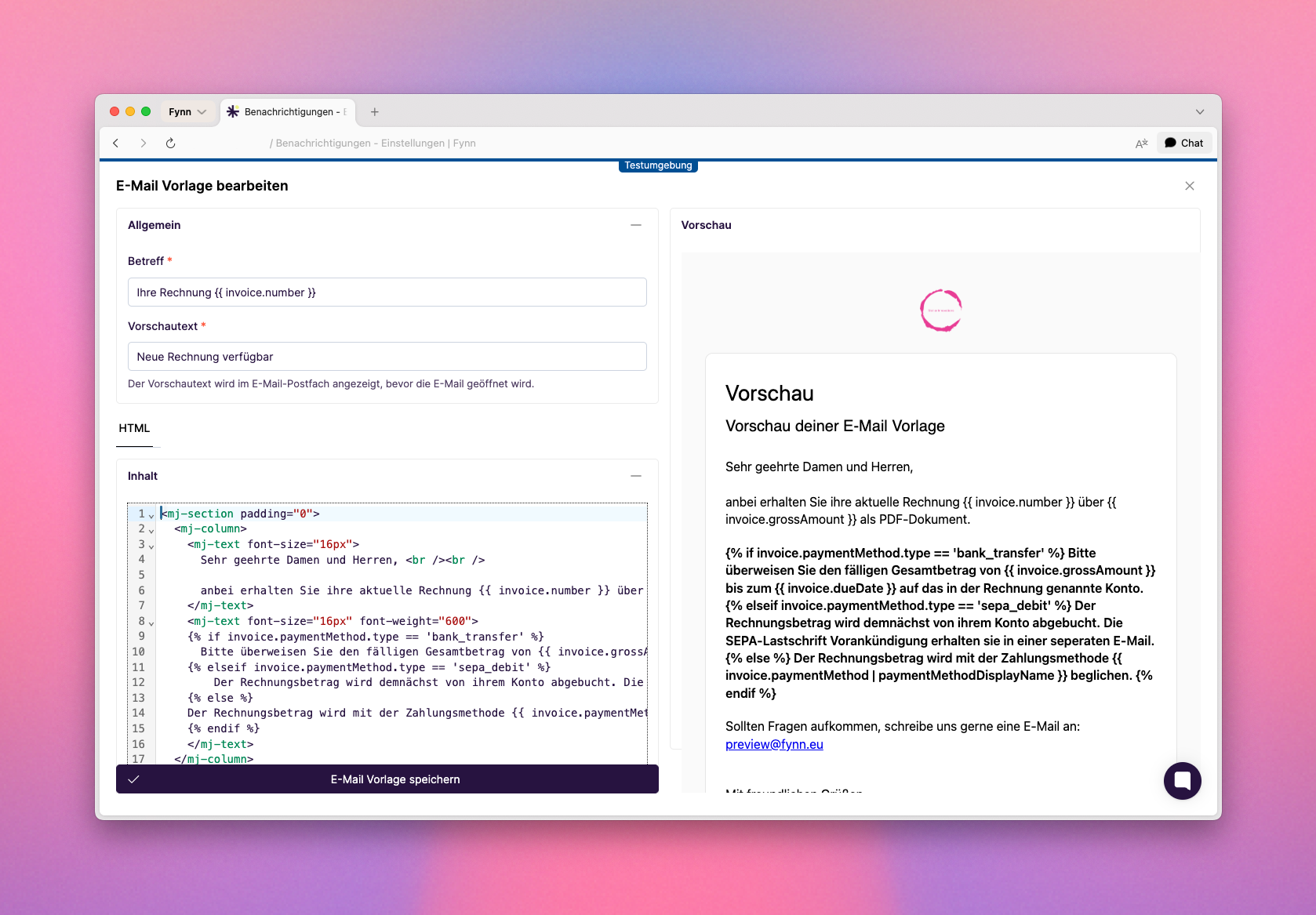 Email templates are written in MJML format, which provides an easy way to create responsive emails. You can customize the templates to change the style and content of the emails sent to your users.
The templates contain placeholders that are automatically replaced with the corresponding information when the email is sent. These placeholders are enclosed in curly braces, e.g., `{{ invoice.number }}` for the invoice number.
An exact list of available placeholders is currently not available, but you can customize and test the templates directly in the Fynn app.
### Variables in Email Templates
## Custom Email Sender
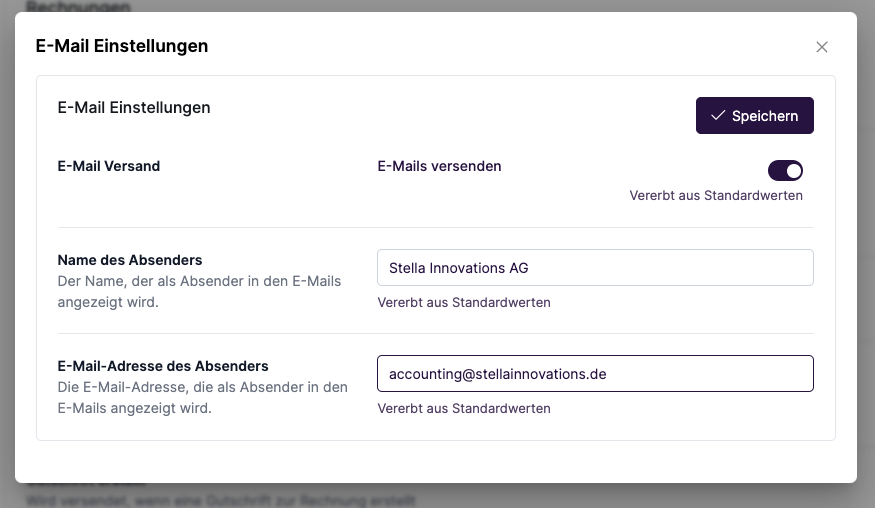
To send emails with your own domain, the domain must be configured by the Fynn team. Send us a short email with your request to [hi@fynn.eu](mailto:hi@fynn.eu).
Go to [Settings > Notifications](https://app.fynn.eu/settings/notifications)
Email templates are written in MJML format, which provides an easy way to create responsive emails. You can customize the templates to change the style and content of the emails sent to your users.
The templates contain placeholders that are automatically replaced with the corresponding information when the email is sent. These placeholders are enclosed in curly braces, e.g., `{{ invoice.number }}` for the invoice number.
An exact list of available placeholders is currently not available, but you can customize and test the templates directly in the Fynn app.
### Variables in Email Templates
## Custom Email Sender
To send emails with your own domain, the domain must be configured by the Fynn team. Send us a short email with your request to [hi@fynn.eu](mailto:hi@fynn.eu).
Go to [Settings > Notifications](https://app.fynn.eu/settings/notifications)
 SMS sending is a paid feature, each SMS (160 characters) costs 0.10 EUR (plus VAT).
### Customize Notifications
SMS sending is a paid feature, each SMS (160 characters) costs 0.10 EUR (plus VAT).
### Customize Notifications
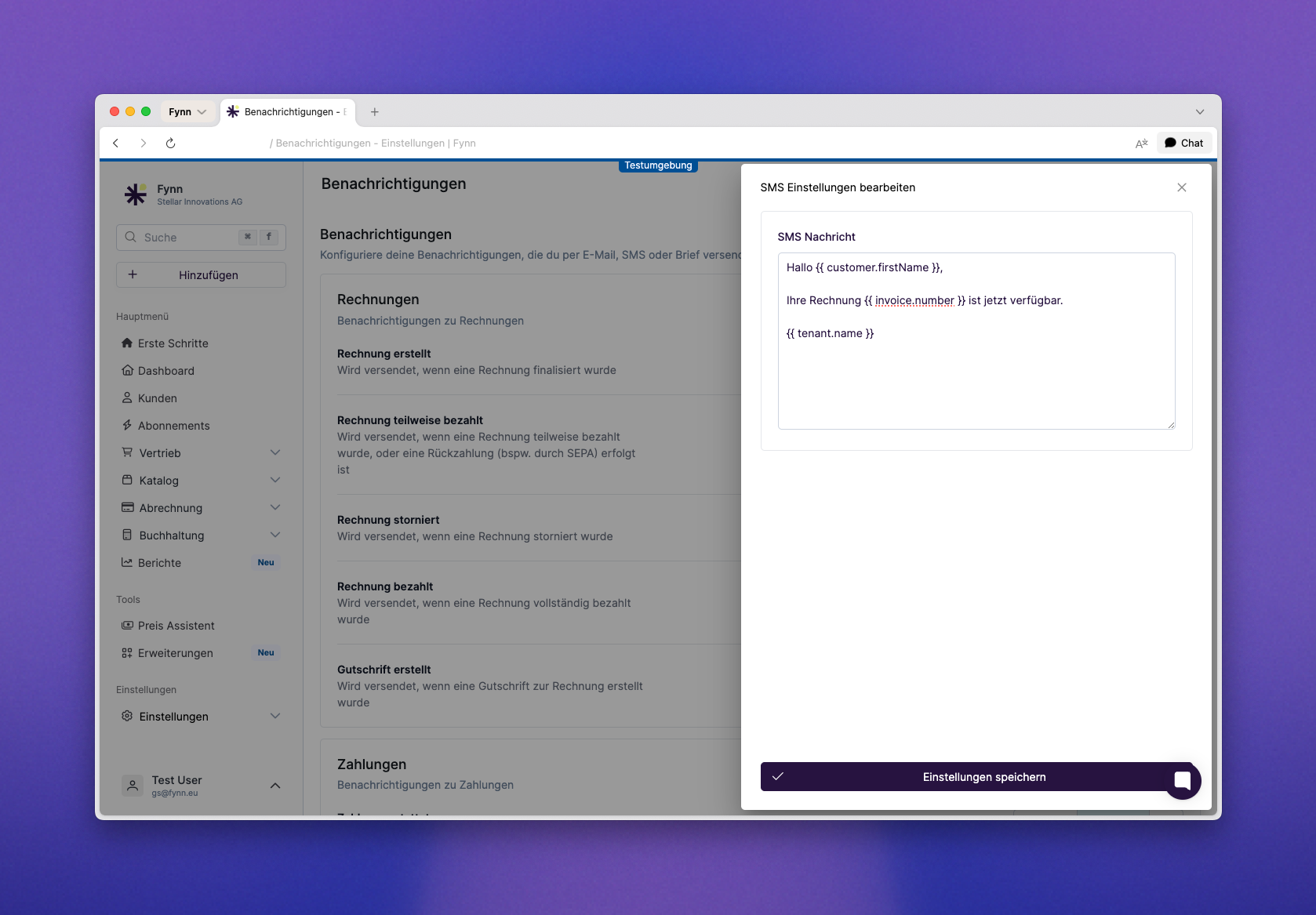 The SMS format is a simple text that is sent to users. You can customize the templates to change the style and content of the SMS sent to your users.
Clicking "Save Settings" saves the SMS template or changes.
To use this feature, it must be activated by our team. Send us a short email with your request to [hi@fynn.eu](mailto:hi@fynn.eu)
Fynn offers the option to send notifications by letter. This feature is particularly useful for important communications that cannot or should not be delivered electronically.
Letters received by 2 PM are printed and sent the same day. Letters created after 2 PM are printed and sent the next business day.
## Additional Invoice Recipients
To use this feature, it must be activated by our team. Send us a short email with your request to [hi@fynn.eu](mailto:hi@fynn.eu)
The SMS format is a simple text that is sent to users. You can customize the templates to change the style and content of the SMS sent to your users.
Clicking "Save Settings" saves the SMS template or changes.
To use this feature, it must be activated by our team. Send us a short email with your request to [hi@fynn.eu](mailto:hi@fynn.eu)
Fynn offers the option to send notifications by letter. This feature is particularly useful for important communications that cannot or should not be delivered electronically.
Letters received by 2 PM are printed and sent the same day. Letters created after 2 PM are printed and sent the next business day.
## Additional Invoice Recipients
To use this feature, it must be activated by our team. Send us a short email with your request to [hi@fynn.eu](mailto:hi@fynn.eu)
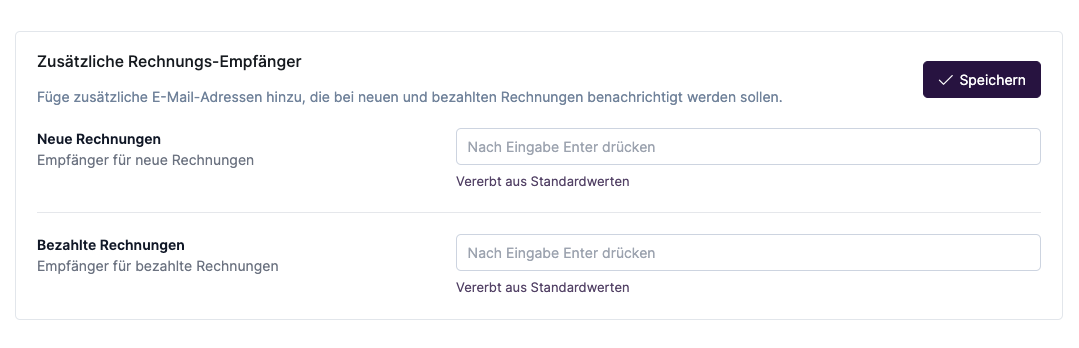 The "Additional Invoice Recipients" feature allows you to send invoices directly via email upload to your accounting system, for example. The sender email address used is the one stored in the organization settings. This may need to be approved in advance in your accounting software.
The customer still receives a separate email with the invoice. Additional recipients also receive the invoice, but without the indication that it is a copy.
The "Additional Invoice Recipients" feature allows you to send invoices directly via email upload to your accounting system, for example. The sender email address used is the one stored in the organization settings. This may need to be approved in advance in your accounting software.
The customer still receives a separate email with the invoice. Additional recipients also receive the invoice, but without the indication that it is a copy.