Features
- Export of invoices and cancellations as DATEV document transfer file
- Export of journal entries including prepaid expenses as DATEV posting batch file
- Export of debtors as debtor master data file
Set up DATEV Integration
To set up the DATEV integration in Fynn, you need the following information:- DATEV Consultant Number
- DATEV Client Number
- SKR Chart of Accounts
Configure DATEV Integration
1
Enter Consultant Number and Client Number
Navigate in Fynn to “Settings” > “Accounting” > “DATEV Basic Settings” and enter the Consultant Number, Client Number, and G/L Account Length from DATEV.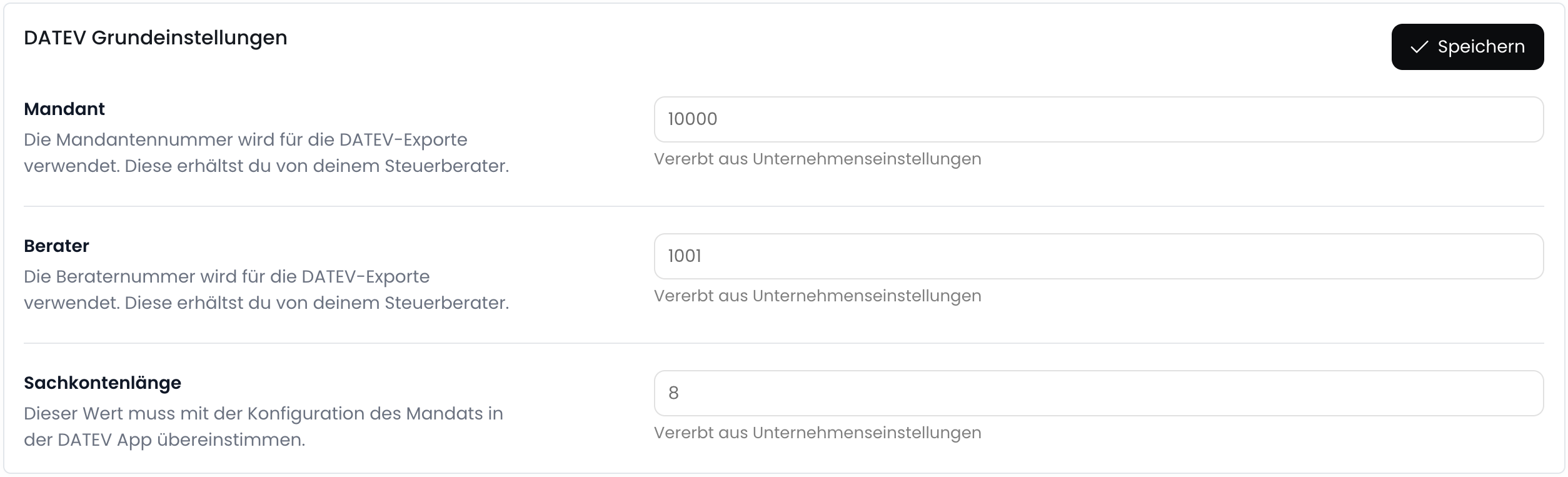
2
Select SKR Chart of Accounts
In the “Postings” section, select the SKR Chart of Accounts you use in DATEV and configure basic settings for the journal entries.
For more details on the settings, see Accounting.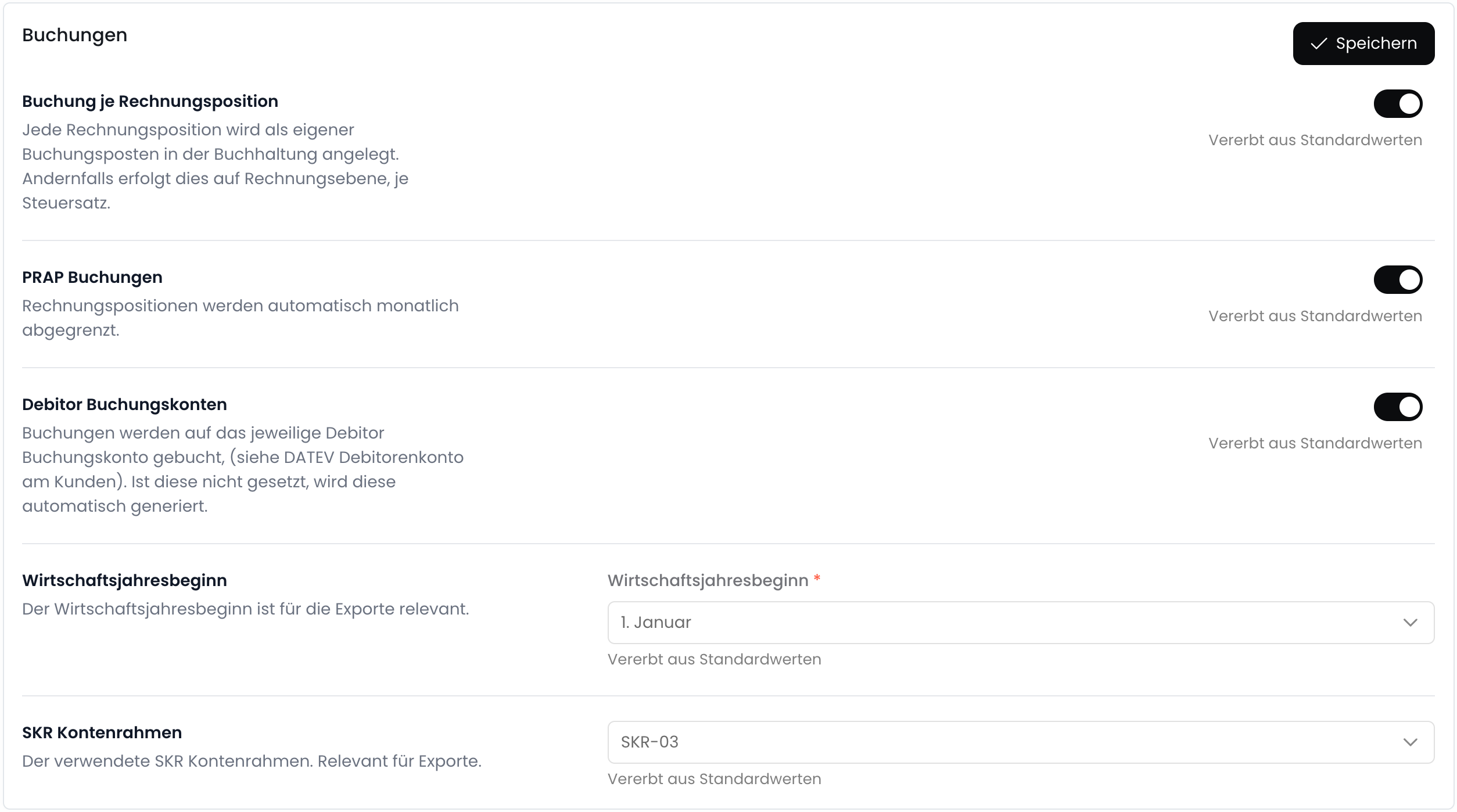
3
Configure Field Mappings (optional)
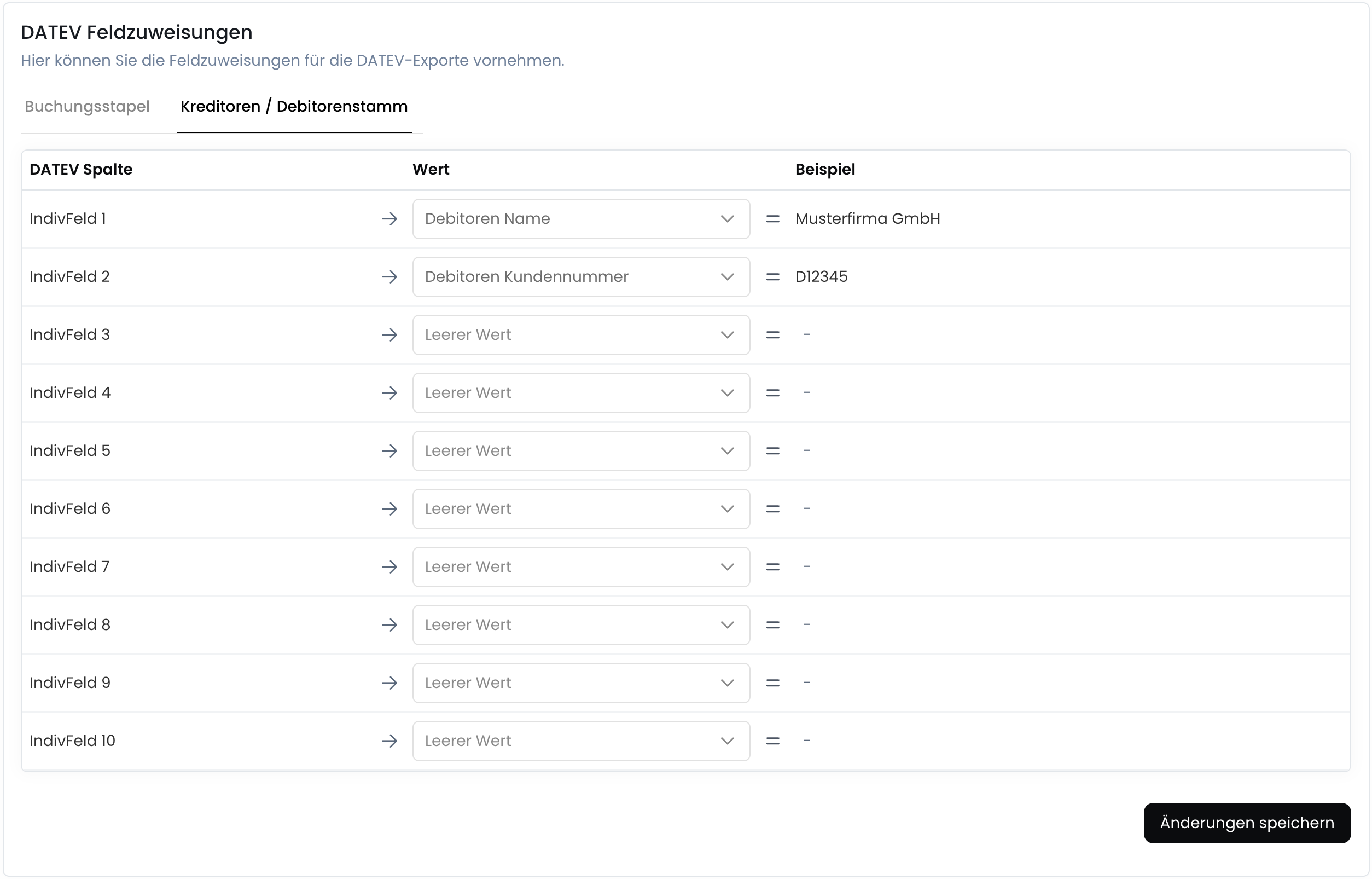
Optionally configure the individual fields of a DATEV master data & posting batch. Here you can map the fields from Fynn to the fields in DATEV.