

This feature is only available in the Enterprise plan. Contact our sales team at sales@fynn.eu for more information.
Overview
With Custom PDF Rendering, you can use your own PDF rendering engine to generate invoices, credit notes, and cancellations according to your individual requirements. This enables:- Complete Design Control: Design documents exactly according to your corporate design guidelines
- Custom Template Engines: Use your preferred template engine (LaTeX, Typst, etc.)
- Complex Layouts: Create multi-page documents with complex tables and graphics
- Integration with Existing Systems: Seamlessly integrate your existing document generation
How It Works
- Document is finalized: When a document is finalized, it transitions to
STATUS_FINALIZINGstatus - Webhook is triggered: Fynn sends the
invoice.pdf.generation_requestedwebhook with all document data - Generate PDF: Your system generates the PDF with your own rendering engine
- Upload PDF: The finished PDF is sent back to Fynn via the API
- Complete finalization: Fynn completes the finalization process (ZUGFeRD embedding, sending, etc.)
Configuration
1. Enable Feature
Contact Fynn support to enable the feature for your organization.2. Register Webhook
Register a webhook for theinvoice.pdf.generation_requested event:
- Use Web App
- Use API
1
Open Webhooks
Navigate to Settings > Webhooks
2
Create New Webhook
Click New Webhook and configure:
- URL: The URL of your webhook endpoint
- Events: Select
invoice.pdf.generation_requested - Secret: A secure secret for signature validation
3. Configure Settings
Under Settings > Billing > Custom PDF Rendering you can configure the following options: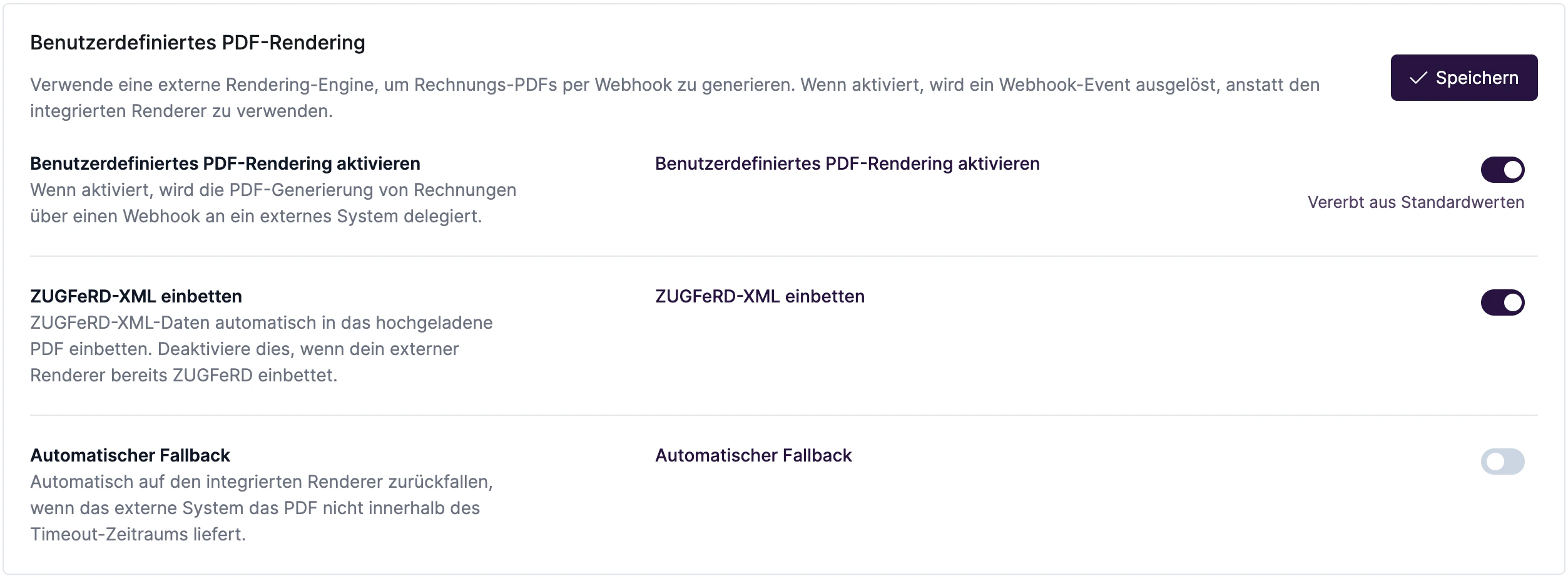
Webhook Payload
Theinvoice.pdf.generation_requested webhook contains all document data:
Upload PDF
After PDF generation, the document must be uploaded via the API:Endpoint Details
Request
- Content-Type:
multipart/form-data - Field:
file- The PDF file (MIME type:application/pdf)
Response
200 OKError Codes
Timeout and Fallback
When Custom PDF Rendering is enabled, Fynn waits for the PDF to be uploaded. If the PDF is not uploaded in time:- With fallback enabled: After the timeout expires, Fynn automatically generates the PDF with the internal rendering engine
- Without fallback: The document remains in
STATUS_FINALIZINGstatus until the PDF is manually uploaded
ZUGFeRD Embedding
WhenembedZugferd is enabled, Fynn automatically embeds the ZUGFeRD/Factur-X XML data into the uploaded PDF. This ensures compliance with the German e-invoicing standard.
Best Practices
Webhook Processing
- Asynchronous Processing: Acknowledge the webhook immediately (HTTP 200) and process PDF generation asynchronously
- Idempotency: Implement idempotency to handle duplicate webhook calls
- Retry Logic: Implement retries for PDF upload on temporary failures
PDF Requirements
- Format: PDF/A-3 is recommended for best ZUGFeRD compatibility
- Size: Maximum 10 MB
- Quality: At least 150 DPI for embedded images
Security
- Validate the webhook signature
- Use HTTPS for all API calls
- Store API tokens securely
Example Implementation (Node.js)
Troubleshooting
PDF Not Accepted
- Ensure the file is a valid PDF
- Check that the document is in
STATUS_FINALIZINGstatus - Validate that you’re using the correct invoice ID
Webhook Not Received
- Check that the webhook is registered for
invoice.pdf.generation_requested - Ensure your endpoint is reachable
- Check the webhook logs in Fynn settings
Timeout Errors
- Increase the
timeoutMinutesvalue - Optimize your PDF generation
- Enable fallback for critical situations