

Benefits of PayPal
- Fast and secure payments: PayPal offers a fast and secure payment method where customers can easily and conveniently pay their invoices through their PayPal account.
- Global acceptance: PayPal is accepted worldwide and offers customers a trusted and well-known payment method, regardless of their location or currency.
- Buyer protection: PayPal offers buyer protection, which gives customers additional security in case of problems with the order or payment.
Connect PayPal
You don’t need an account to connect PayPal. You can create one directly during the setup process.
1
Open the payment methods settings
Go to Settings > Payment Methods.
2
Click on Connect
Click the “Connect” button next to the PayPal logo. You will now be redirected to the PayPal website, where you can log in with your PayPal account or create a new account.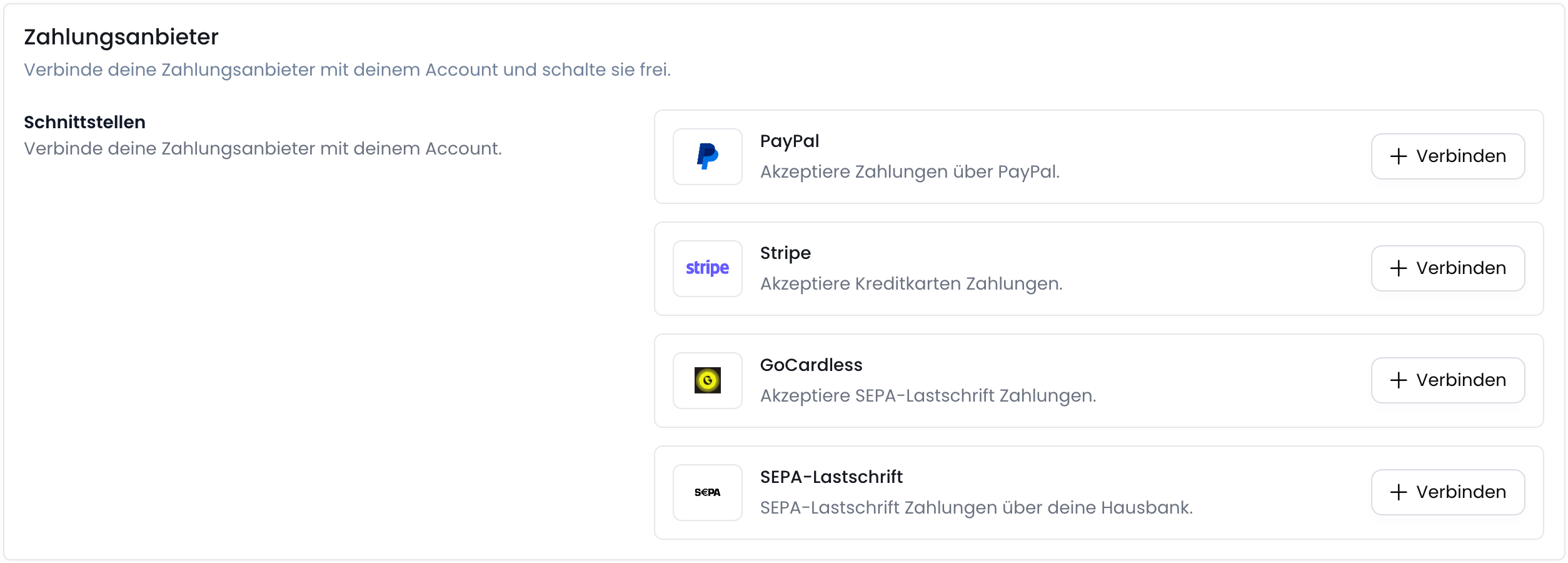
3
Create or log in to PayPal account
If you already have a PayPal account, you can log in with your credentials. Otherwise, you can create a new account.
4
Confirm PayPal email address
After you have logged in to PayPal or created a new account, you will be redirected back to the Fynn platform.
Then your PayPal email address must be confirmed before you can accept payments via PayPal.
5
PayPal is successfully connected
After you have confirmed your PayPal email address, PayPal is successfully connected and you can accept payments via PayPal.
6
(optional) Activate PayPal payment method
After PayPal has been successfully connected, you can activate the PayPal payment method by clicking the toggle next to “PayPal”.For more details, see Enable payment methods.