NotificationsUI
Digest Emails
Fynn now sends periodic digest emails that summarize the most important metrics and outstanding tasks of your organization. Each user can individually configure which information they want to receive.New User Account Area:The new personal user account area provides the Profile and Notifications tabs. Under Notifications, digest emails can be enabled and individual sections can be configured.Available Sections:- Customers & Revenue: New Customers, Revenue Summary
- Invoices & Payments: Pending Invoices, Pending SEPA Exports, Unassigned Payments
- Accounting: Month Closing Available
- Operations: Failed Emails, Xentral Orders
- Daily (Monday through Friday) or weekly — configurable per section
- Combined email on Monday when both daily and weekly sections are active
- No email sent for empty periods
BillingBugfix
Dunning: Corrected Amount Display for Partial Payments
ThetotalGrossAmount and referencedInvoiceTotalGrossAmount placeholders in dunning and reminder templates now display the outstanding balance instead of the original invoice gross amount. Previously, invoices with partial payments incorrectly showed the full gross amount.Example: An invoice for 100.00 EUR with a partial payment of 30.00 EUR and a 5.00 EUR dunning fee now correctly shows 75.00 EUR as the total (70.00 EUR outstanding + 5.00 EUR fee) — instead of 105.00 EUR.This fix applies to PDF document templates and email notification templates.NotificationsUI
Global Sent Emails Overview
All sent emails can now be viewed centrally in a tenant-wide overview — independent of individual customers.Features:- Tenant-wide list of all sent emails with delivery status
- Filter by date range, status, subject, recipient, and customer
- Detail view with full email content and delivery history
- Per-recipient status for emails with multiple recipients
- Cross-organization view: include emails of all child customers in an organization
- Email Delivery and Status Tracking
BillingInvoices
Subscription Placeholders in Invoice Templates
Invoice document templates (title, introduction, closing text) now support subscription-level placeholders. This allows subscription data such as name, number, PO number, and custom fields to be embedded directly in invoice documents.New placeholders:subscription.name— Subscription namesubscription.number— Subscription numbersubscription.poNumber— Purchase order number (PO)subscription.customFields.<key>— Subscription custom field values
CustomersAPI
Organization Hierarchy: Parent-Child Relationships Between Customers
Customers can now be organized in a hierarchy. The new organization hierarchy feature allows you to model parent-child relationships between customers — ideal for companies with multiple departments, locations, or subsidiaries.Features:- Up to 3 hierarchy levels (e.g., parent company → subsidiary → department)
- Assign and remove parent customers via Web App and API
- View all child customers with subscription metrics
- Retrieve the full hierarchy as a tree structure
- New filters:
parentCustomerId,isParent,hasParent - Cross-organization views for subscriptions, invoices, and transactions
- Webhook events:
customer.parent.assigned,customer.parent.removed
This feature requires the
customer.hierarchy feature flag to be enabled. Contact support for activation.UIBilling
Select All: Child Documents Now Correctly Checked
The “Select all” function in tables with tree structure (e.g., invoice list) now correctly checks child documents as well. Previously, clicking the header checkbox only selected top-level rows – credit notes and cancellations grouped under their parent invoice remained unchecked.- Complete selection: All visible rows including expanded child documents are selected
- Correct display: The header checkbox state (all/some/none) now accounts for the total number of visible rows
- Bulk actions: Actions such as “Send”, “Download PDF”, or “Create dispute” are applied to all checked documents
CustomersAPIUI
Automatic Language Detection for Customers
The customer language is now automatically detected based on the destination country. Customers from Germany, Austria, and Switzerland (DACH) are assigned German, all other countries default to English. The language determines which language is used for notifications, invoices, and other documents.New customer creation:- When no language is provided, it is automatically determined from the country code
- DACH countries (DE, AT, CH) → German
- All other countries → English
- An explicitly selected language overrides auto-detection
language field on POST /customers is now optional. When omitted, the language is auto-detected from the countryCode. On PUT /customers, language remains a required field.Existing customers:
Existing customers with German language and a non-DACH country have been automatically updated to English so they receive documents in the correct language.NotificationsUIAPI
Multilingual Email Notifications
Email notifications can now be sent in German and English. Customers automatically receive notifications in the language configured in their profile.Per-Language Email Templates:- Each notification can now have a separate German and English template
- Templates are edited and versioned independently
- Switch between German and English using language tabs in the template editor
- Translate your German template to English with a single click
- The translation preserves MJML structure, placeholders, and template variables
- Review and edit the generated translation before saving
- Email headers and footers can also be configured per language
- System texts like “Managing Director” or “Open email in browser” are automatically translated
- If no English template is configured, the German version is used automatically
- The language is determined from the customer profile (“Language” field)
- Configure Notifications
APIEnterpriseBilling
Custom PDF Rendering
Custom PDF Rendering Engine for Invoices, Credit Notes & Cancellations
With the new Custom PDF Rendering feature, enterprise customers can use their own PDF rendering engine for generating invoices, credit notes, and cancellations.Benefits:- Complete Design Control: Design invoices exactly according to your corporate design guidelines – without template limitations
- Custom Template Engines: Use proven tools like LaTeX, Typst, Puppeteer, or your existing document generation
- Compliance & Special Requirements: Meet industry-specific requirements for invoice layouts
- Multilingual Documents: Generate invoices in any language with your own translations
- Dynamic Content: Add custom attachments, QR codes, or customer-specific information
- When finalizing an invoice, it transitions to
STATUS_FINALIZINGstatus - Fynn sends the
invoice.pdf.generation_requestedwebhook with all invoice data - Your system generates the PDF with your own engine
- The PDF is uploaded via
POST /invoices/{id}/pdf - Fynn optionally embeds ZUGFeRD XML and completes the finalization
This feature is only available in the Enterprise plan.
CheckoutPerformance
Faster Checkout
The checkout process has been significantly accelerated. Invoice generation now happens asynchronously in the background, allowing customers to reach the confirmation page faster.APIWebhooksBreaking Change
Improvement: invoice.finalized Webhook
Webhook Now Triggered After Payment Initialization
Previous behavior:- The webhook was triggered while the invoice was still in
STATUS_FINALIZINGstatus - Payment processing was initialized afterwards
- The webhook is now triggered after payment processing has been initialized
- The invoice will have status
STATUS_UNPAIDat the time of the webhook - The
paymentIntentis already created and available in the invoice
- More complete invoice data in the webhook (including Payment Intent)
- More consistent state for downstream systems
- Better integration with payment processes
status: "STATUS_FINALIZING", update the check to status: "STATUS_UNPAID".APIEntitlements
Entitlement Status Field
New Status Field for Subscription Entitlements
The Subscription Entitlements API has been extended with a newstatus field. This computed field indicates the current state of an entitlement and complements the existing active flag.Possible status values:active: The entitlement is enabled and within its validity period. The customer can use the feature.pending: The entitlement is enabled, but thevalidFromdate is in the future. The feature will automatically become active once the date is reached.disabled: The entitlement is either manually disabled or thevalidUntildate has passed (expired).
entitlement.state.updated webhook.Go to documentationBillingAccountingCustomersUI
Invoice Actions, Month-End Closings & Customer Portal
New Invoice Actions
Invoices can now be processed with clear, context-dependent actions. Depending on the invoice status, appropriate options are available: Cancel, Refund, Adjust, Credit, or Grant Cash Discount. The system automatically checks which actions are possible based on payment status, open transactions, and credit eligibility of line items.Mandatory Reason for Invoice Actions
A reason must now be provided for all invoice actions such as cancellations, credit notes, or adjustments. This ensures greater transparency and traceability in accounting.Debtor Wallet for Customer Settlement
With the new Debtor Wallet, credit notes can be directly offset against open invoices. Customer credit is managed centrally, and previously recorded wallet adjustments are automatically reversed upon cancellations.Month-End Closings in Accounting
Under Accounting > Journal Entries, months can now be closed. This ensures that no postings occur in closed months - for example, when a payment is recorded retroactively or an invoice is corrected. This feature requires DATEV authorization under Settings > Users & Permissions > Roles.Automatic Revenue Allocation at Fiscal Year-End
When a service period extends beyond the fiscal year-end, postings are automatically split - provided the corresponding month has not yet been closed. This enables proper accrual accounting.Accounts Receivable: Outstanding Payments at a Glance
In the “Accounts Receivable” tab of customer details, you can now see which documents still need to be paid out, whether a customer has paid more than required, or whether a wallet balance exists. This keeps you informed about all open items.Email Delivery Status in Customer Details
Email status can now be viewed in customer details: Whether an email was delivered, opened, bounced, or delayed is visible at a glance.Simplified Address Management
Addresses can now be conveniently managed for multiple subscriptions simultaneously in customer details. This significantly simplifies the maintenance of billing and shipping addresses.Completely Redesigned Customer Portal
The self-service portal for customers has been fundamentally redesigned with a modern, clean design. Customers can now manage their addresses, pay open invoices, and change default payment methods for all subscriptions - all in one place.Refresh Button in All Tables
All data tables now feature a refresh button to quickly update the view.Account Transactions: Filters When Switching Views
Filters in account transactions are now correctly applied when switching between default views.SubscriptionsBillingUI
Billing Runs: Transparency on Subscription Billing
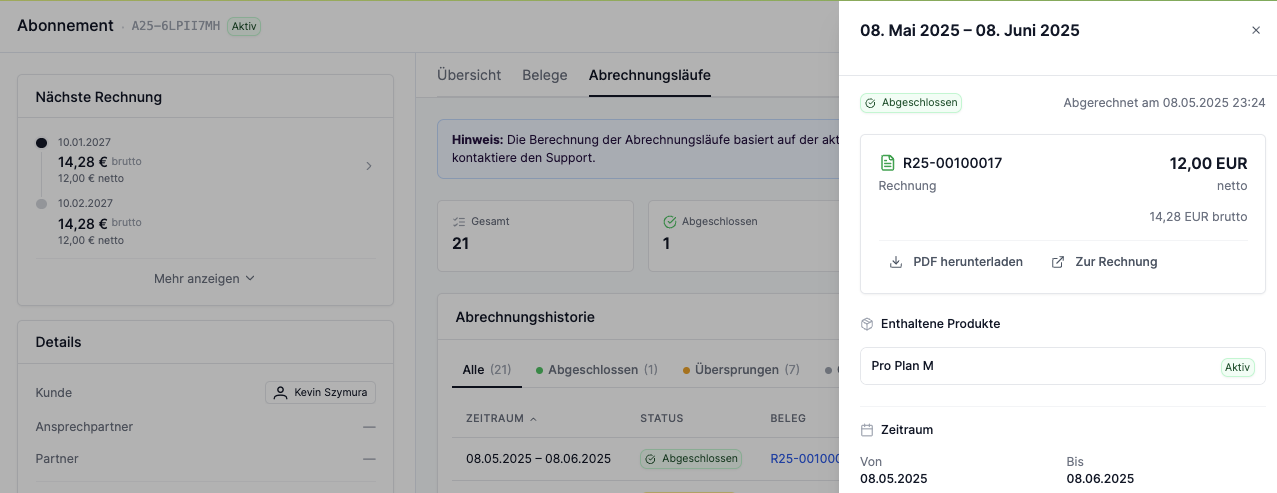
Complete Billing History
The billing history lists all past, current, and future billing runs of a subscription. For each run, the period, status, associated invoice, amount, and billing date are displayed. The table can be filtered and sorted.Skipped Billing Runs with Reason
When a billing run was skipped (e.g., due to trial period, paused subscription, or net amount of EUR 0.00), the reason is displayed directly in the table. A tooltip provides additional details about the reason.Detail View for Each Billing Run
Click on a billing run to see a detailed view with all associated subscription items, periods, and amounts. For completed runs, the associated invoice is directly linked.AccountingCustomersUI
Accounts Receivable: Central Overview for Customer Accounting
New Accounts Receivable Tab
The new “Accounts Receivable” tab in the customer detail view provides a central overview of all accounting-relevant information for a customer. Here you’ll find the current debtor balance, a detailed account overview, and the monthly balance history at a glance.Accounts Receivable Card
The card shows the customer’s current debtor balance (receivables - payments). A positive balance means the customer still owes money. A negative balance means the customer has a credit balance. Additionally, receivables and payments for the selected period are displayed.Account Overview: Assets and Liabilities
The account overview shows all asset and liability accounts for the customer with their current balances. Asset accounts (debit) are receivables and assets. Liability accounts (credit) are revenues and liabilities. Click on an account to display all associated postings in a dialog.Balance History with Detailed Postings
The balance history shows the monthly development of account balances or debtor balance over time. You can switch between “Account Balances” (individual accounts) and “Debtor Balance” (total balance). Click on a month to view the postings for that month. Click on a posting to see details.Posting Overview per Account
Click on an account in the account overview to display all postings for that account in a dialog. The overview shows date, document number, account, offsetting account, description, and amount. Click on a posting to see further details in a slide-over.AccountingPaymentsUI
Bank Reconciliation: Improved Allocation and Overview
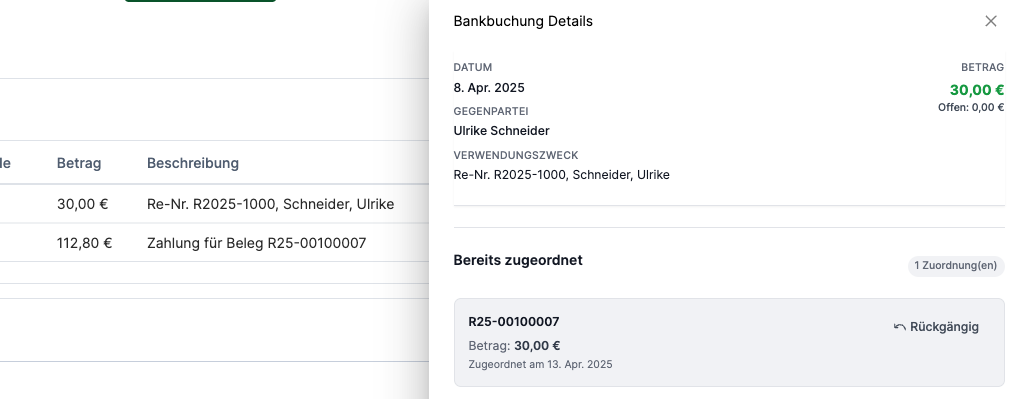
New Bank Reconciliation Interface
The new bank reconciliation interface provides a clear display of all bank transactions with detailed information on date, counterparty, and payment reference. At a glance, you can see which transactions have already been allocated and which are still open.Allocation History
The new view shows all previously made allocations for a bank transaction. It displays which invoices were allocated, the allocated amount, and the allocation date. This provides complete transparency over the reconciliation process.Undo Function
If an allocation needs to be corrected, it can now be easily undone. The undo function makes the reconciliation process more flexible and error-tolerant.Detailed Transaction View
The detail view displays all important information about a bank transaction at a glance: date, counterparty, payment reference, amount, and the open amount. The clear presentation significantly simplifies invoice allocation.Bank Reconciliation in Invoice Detail View
Bank transaction allocations are now also displayed directly in the invoice detail view. It shows which bank postings have been allocated to an invoice, and bank posting details can be viewed directly from the invoice, with the option to undo the allocation if needed.AnalyticsBilling
IntegrationsCRM
New HubSpot Cards for the Sidebar

Customer Details: Link with Fynn
The card allows linking HubSpot contacts and companies directly with Fynn customers. Existing customers can be assigned, or new Fynn customers can be created directly from HubSpot.Data Overview: Subscriptions, Documents, and Payments
The new cards provide a quick overview of all important Fynn data directly in HubSpot. Displayed are subscriptions with products and contract data, all issued documents (invoices, credit notes), and the complete payment history with status and payment gateway.Overdue Invoices: Aging Analysis
The card provides a detailed aging analysis for open invoices. It breaks down amounts into different time periods (0-30, 31-60, 61-90, more than 90 days overdue) and shows the number of invoices and total amount for each period.UI
More Granular Filters in Lists
New Text Filters for Lists
Filter invoices, subscriptions, and payments even more easily:- Equals / Does not equal for exact matches
- Contains / Does not contain for partial terms
- Is empty / Is not empty e.g., for internal notes
Optimized Date Filters
Date filters have been simplified and named more clearly. Additionally, “Equals” was added as an operator.Improved Amount Filters
Filters for amounts (e.g., gross, open, fees, account balance) have been revised.More Filter Fields in Overviews
Additional filters have been added in several lists, including customer number, customer name, PO number, and description.This allows for more precise searching directly in the overviews.Products as Column in Subscription Lists
In the subscription overview, products can now be added as a column. This makes it immediately visible which products are included in the subscriptions.IntegrationsCRM
HubSpot Integration
HubSpot Integration
Connect Fynn with HubSpot and optimize your workflows between CRM and subscription management.Note: Contact our sales team at sales@fynn.eu or support at support@fynn.eu to activate this integration.Create Customers from HubSpot Contacts
Create Fynn customers directly from your HubSpot contacts - without manual data copying.Overview of Subscriptions, Documents, and Payments
View all important Fynn data directly in HubSpot - for a complete customer overview.Transfer Activities to HubSpot Events
Automatic synchronization of Fynn activities as HubSpot events for seamless documentation.AnalyticsReporting
re:cap Reports as ZIP Download
The re:cap reports provide a comprehensive overview of all contracts and invoices for financing and liquidity management. The export contains two CSV files in a ZIP file:- Contracts: Contains all subscriptions with details such as customer information, contract status, billing periods, and next billing date
- Invoices: Contains all invoices with details such as invoice number, customer, service period, invoice date, due date, and status
UI
Improved Filters in Lists
We have significantly expanded the filters in list views (e.g., invoices, subscriptions, payments):- New options for text filters: Equals, Does not equal, Contains, Does not contain, Is empty, Is not empty
- Search is case-insensitive
- Clear date filters (from/until, exactly on a day, period from/to)
- Improved amount filters for ranges and exact amounts
UI
Improved Tables: Views, Filters, Exports
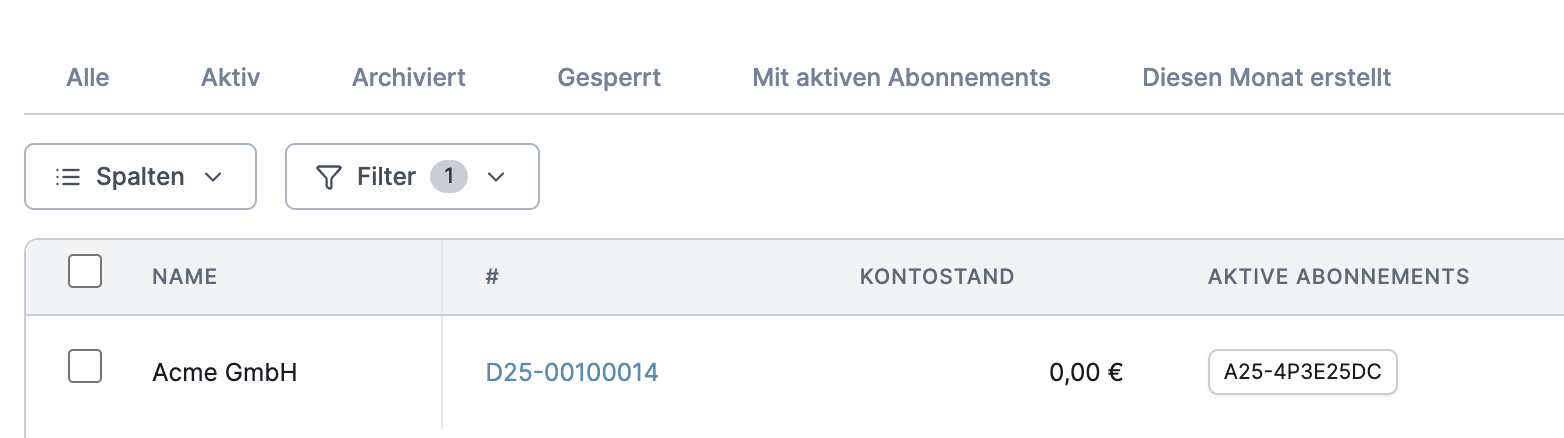
Views
Save and manage your own views with filters, columns, and sorting. This gives you quick access to frequently used data views.Advanced Filters
Use advanced, combinable rules for precise results.Customizable Columns
Select visible columns and change the order via Drag & Drop. All changes are automatically saved.Custom Exports
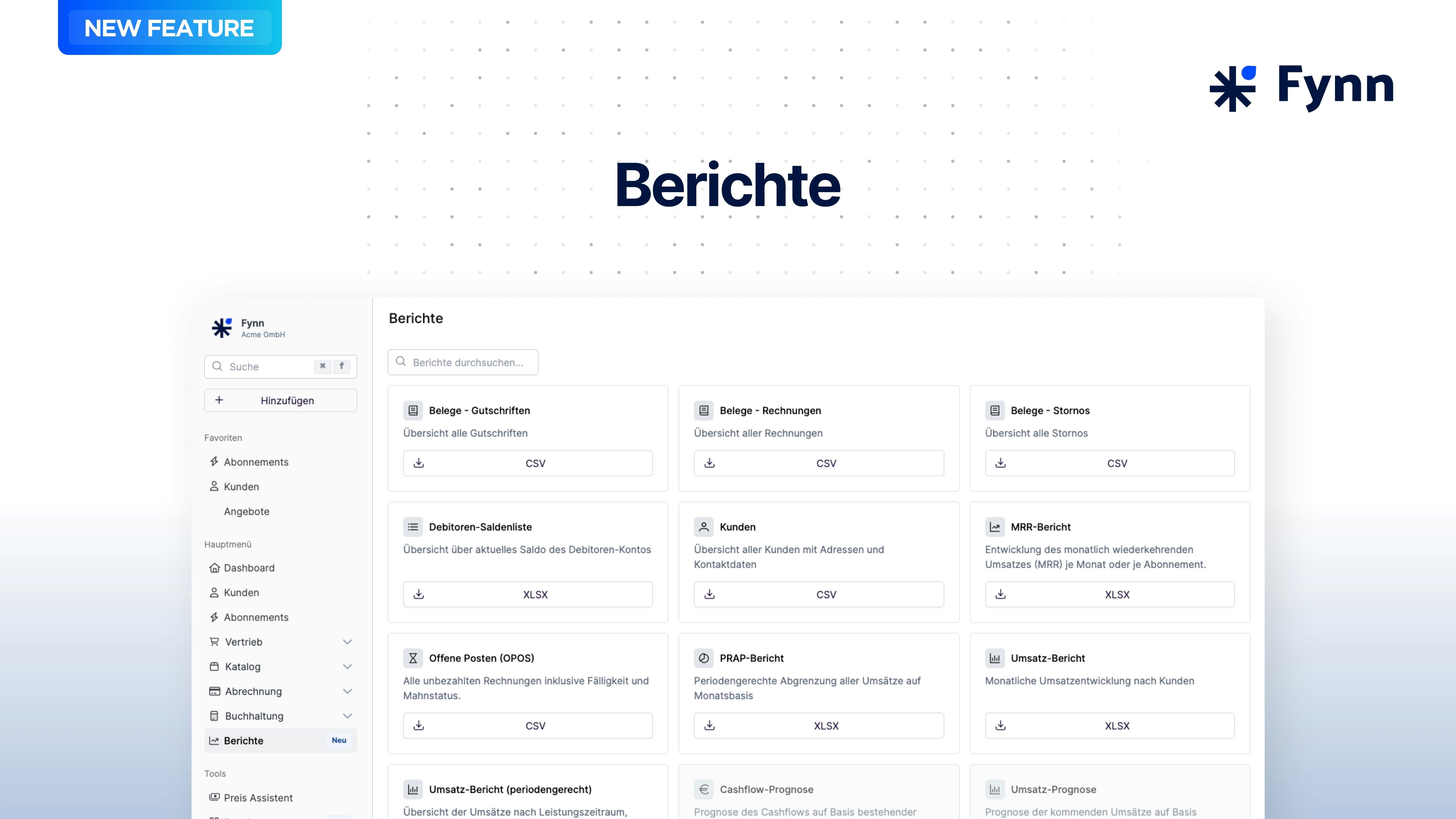
Export created views directly according to your preferences in CSV or Excel format. Note: Previous exports can now be found under Reports.Inline Editing
Custom attributes (selection, multi-selection) can now be edited directly in the order table view - for faster data maintenance.Customers
Instantly Identify Customers Without Active Subscription
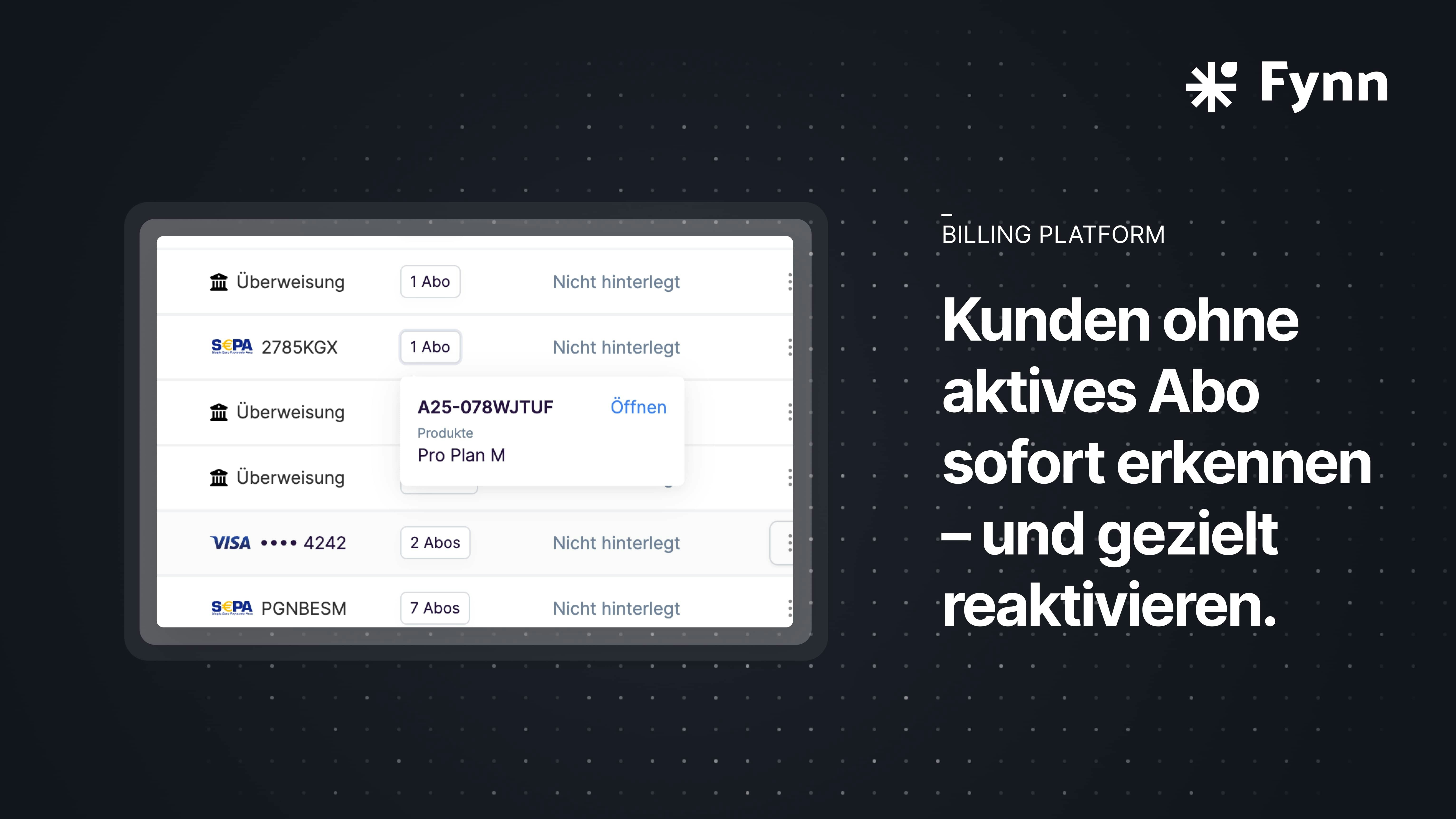
- Clickable display of active subscriptions in the customer list
- Filter option: Show only customers with or without active subscription
- Extended export: Number of active subscriptions included directly in CSV/XLSX
- Also considers already cancelled but still running subscriptions
Subscriptions
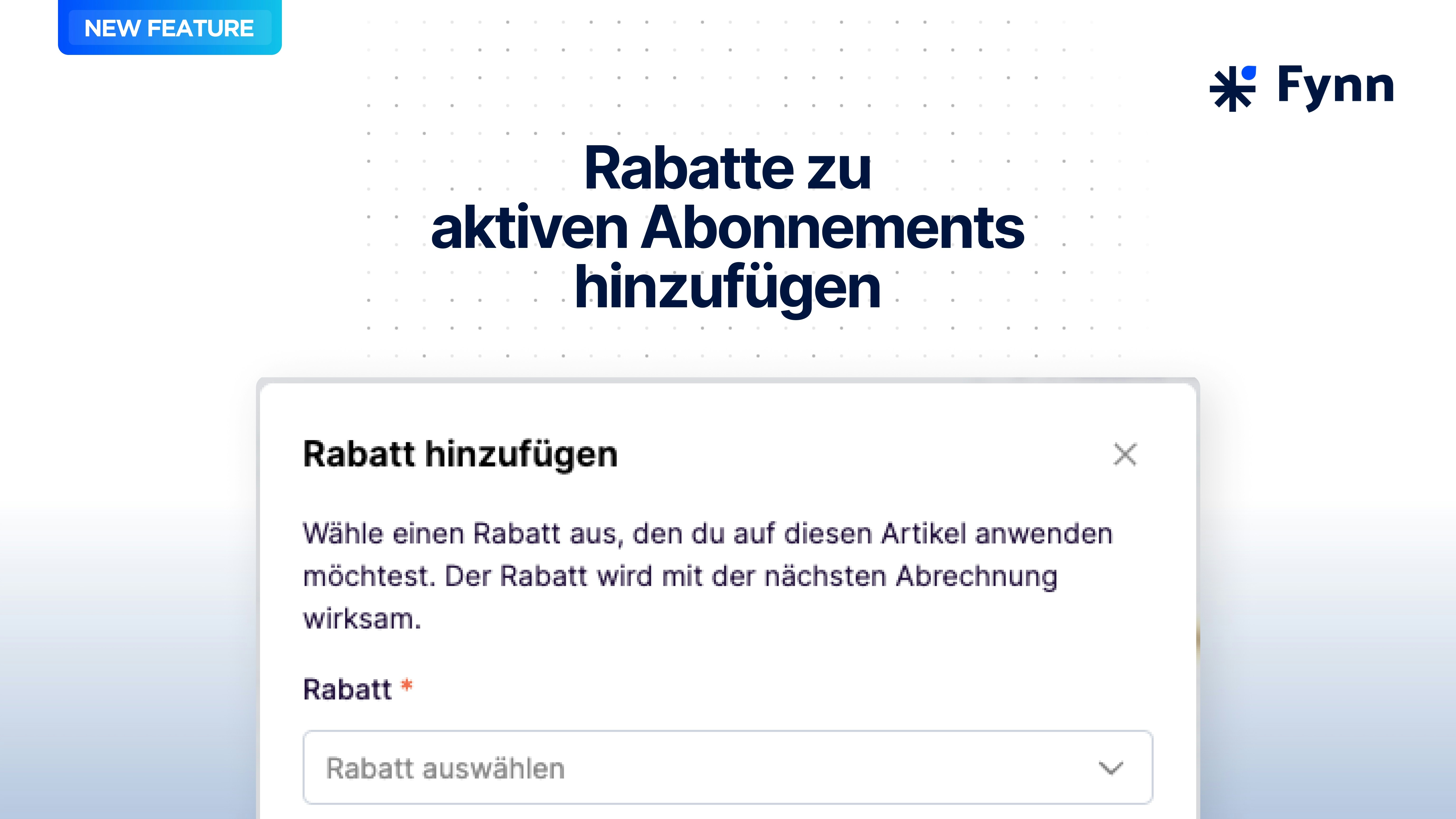
Add Discounts to Active Subscriptions
Subscriptions
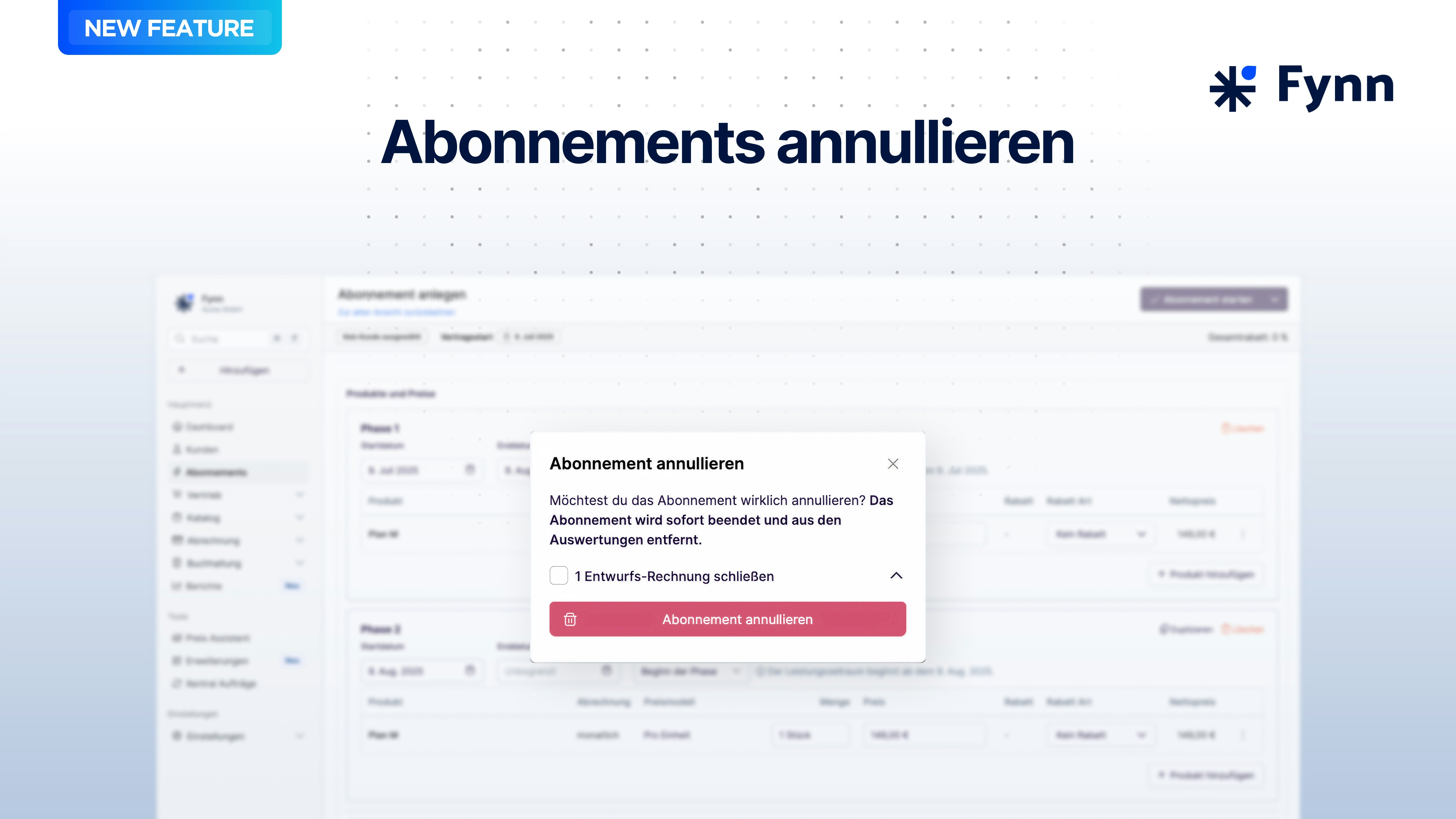
Void Subscriptions
UI
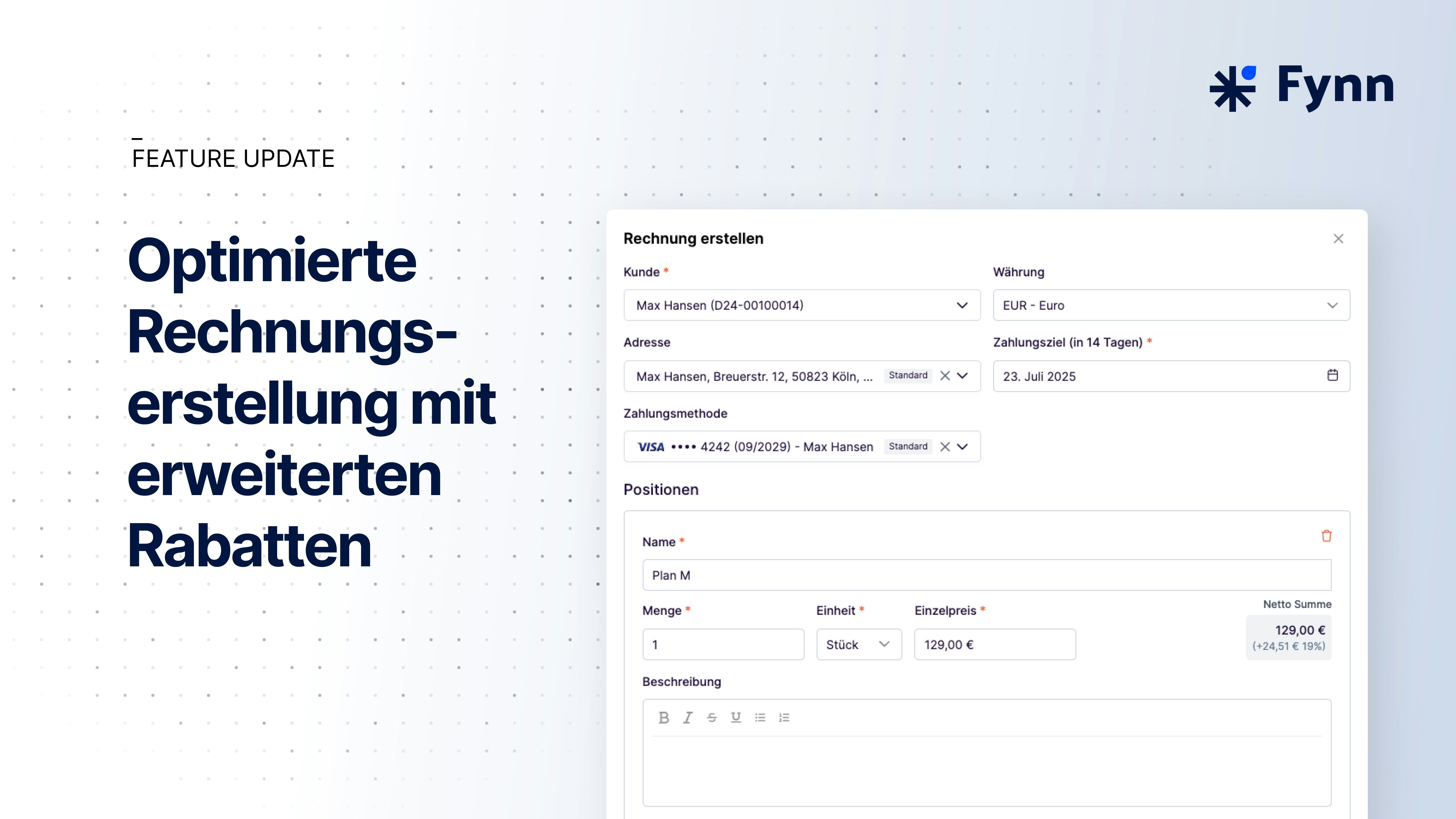
Create Invoice
UI
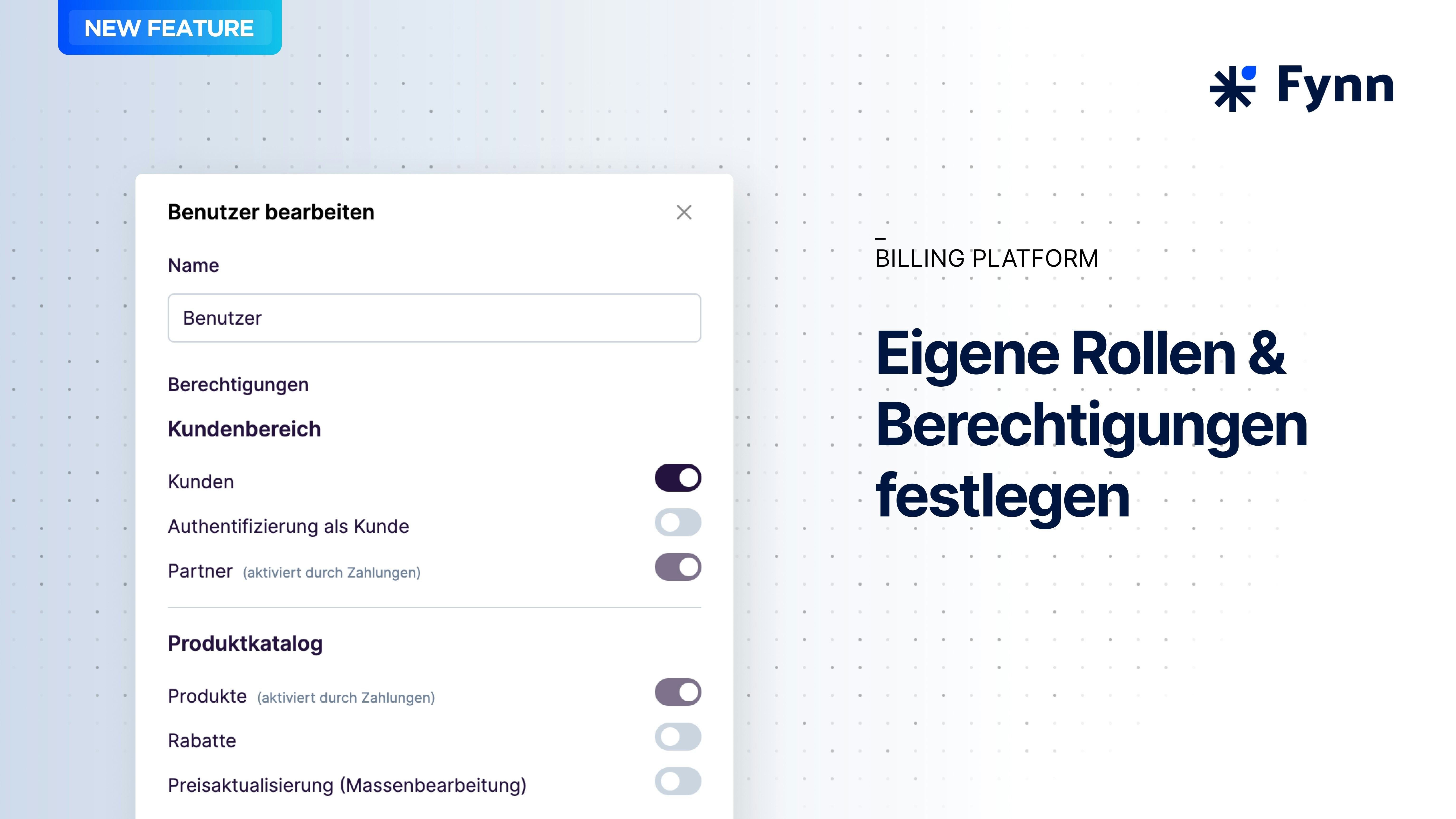
Roles & Permissions
UI
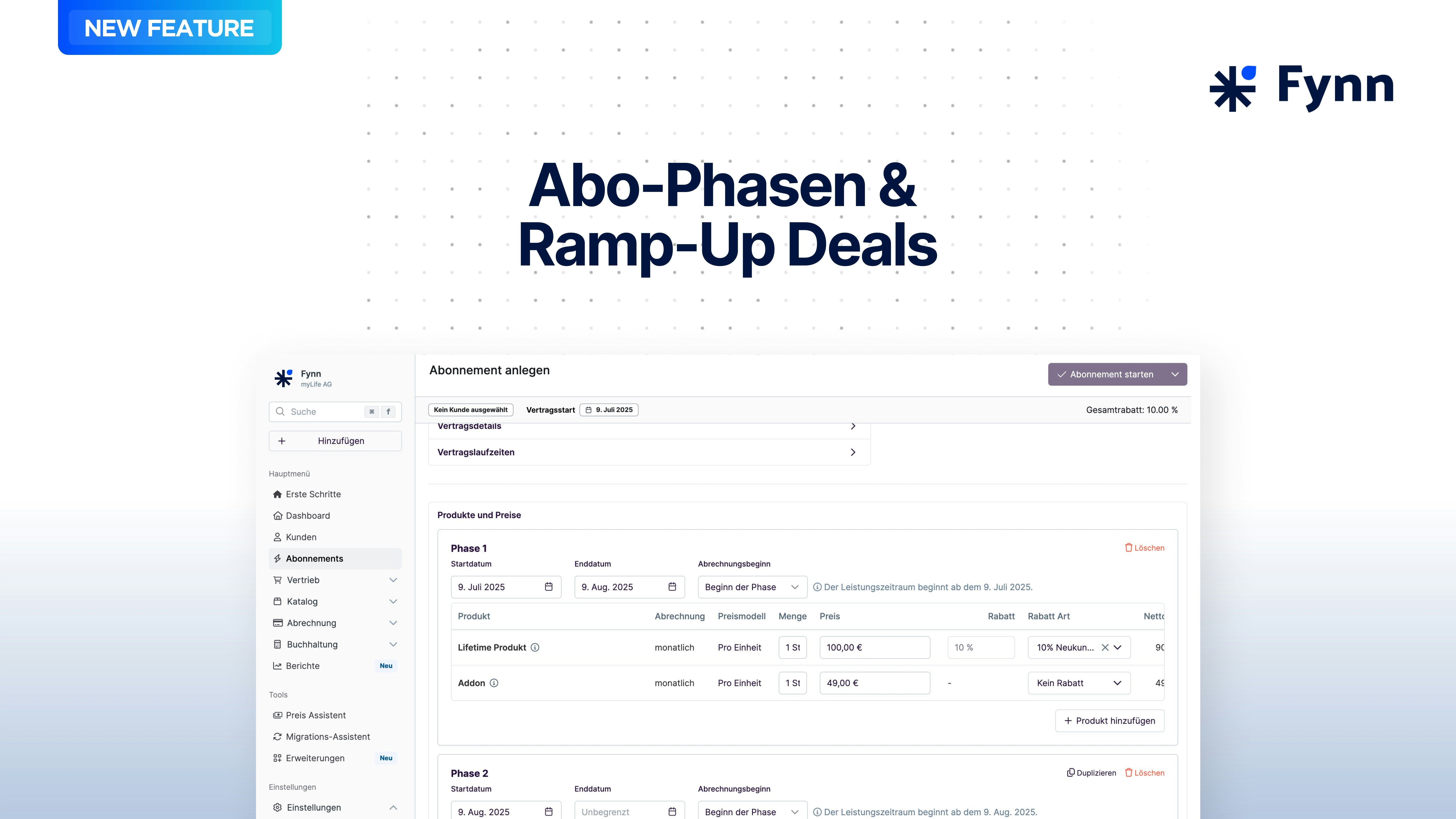
Subscription Phases
Billing
Minimum Quantity
Define a minimum quantity for product prices to ensure that the product is billed with the minimum quantity.Analytics
Deferred Revenue Reports
The Deferred Revenue Report enables you to easily overview accrual-based accounting of invoices and outstanding amounts.Analytics
Quotes
Quote Countersigners
Add a countersigner to quotes, for example, to have quotes countersigned by an internal employee or management.Quotes
Quote Templates
Create quote templates to use for future quotes. Create ready-made product configurations and texts that you can use in future quotes with just one click.Billing
Upgrades & Downgrades
Perform upgrades and downgrades of subscriptions by grouping multiple products. This allows switching between products in a subscription without having to create a new subscription. Additionally, credit notes can be created for remaining terms.Within a subscription, various products can be individually upgraded or downgraded without affecting the entire subscription.Billing
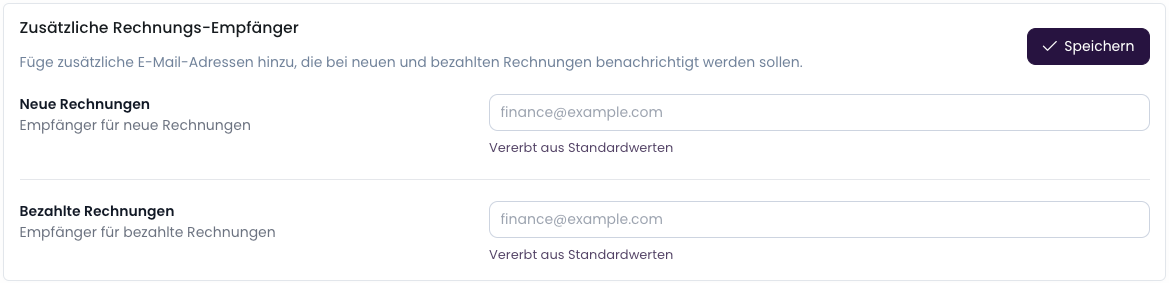
BCC for Outgoing Invoices
Billing
Create Credit Notes
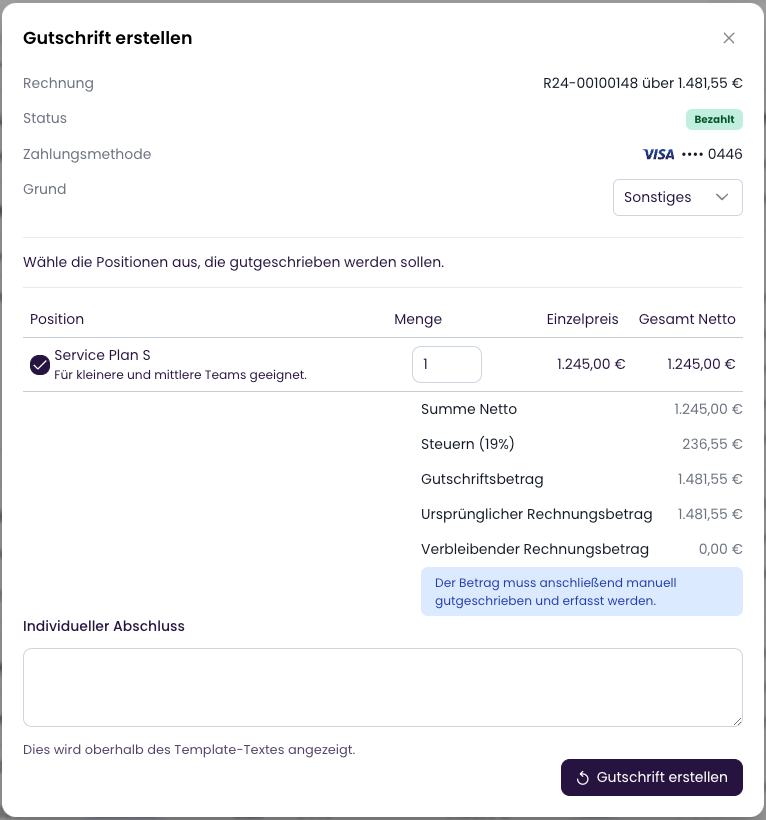
Billing
Retry Payment
It is now possible to retry the outstanding amount for an invoice. If a payment method could not be charged multiple times, the open amount can be retried with the same or a different payment method.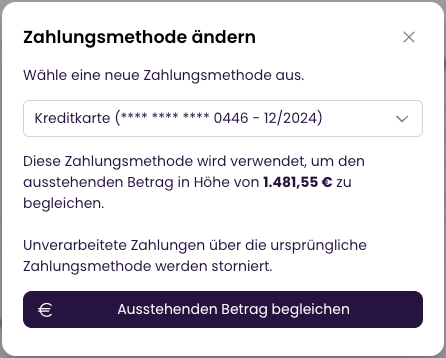
Billing
Cancellation of Invoices with SEPA Direct Debit
When an invoice with SEPA direct debit is cancelled, the SEPA direct debit is automatically removed from the SEPA batch exports, provided the batch has not yet been transmitted to the bank. If the SEPA batch has already been transmitted to the bank, the invoice can subsequently be credited.Billing
Close Invoice
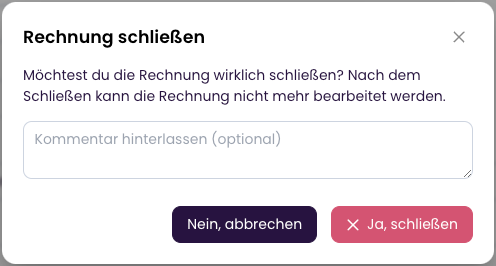
Payments
Daily Notification for Open SEPA Orders
A daily notification is now sent when there are open SEPA orders. This ensures that no open SEPA orders are forgotten and invoices are collected on time.Billing
Placeholders in Invoices
Placeholders in invoices are now replaced after finalization, making them easier to read.Payments
Improved Payment Receipt Matching
Payment receipt matching has been improved. More information from payment receipts is now used to improve invoice allocation. Additionally, allocation is now supported by machine learning to reduce manual allocation. In our tests, we observed a significant improvement in the allocation rate (over 90%).This feature is being gradually activated for all customers. If you would like to use this feature now, please contact us.Billing
e-Invoice Compliance
e-Invoice compliance has been improved. More information is now transmitted in e-invoices to meet e-invoice requirements. Additionally, ZUGFeRD is set as the e-invoice format for all existing and future customers where no e-invoice format was specified. No adjustment is therefore necessary.Previous invoices remain unchanged. If a draft or approval invoice needs to be sent as an e-invoice, please contact us for support.Credit notes and invoices are supported as e-invoices. Cancellation invoices are currently not sent as e-invoices.More details in the documentationBilling
Improved Invoice List
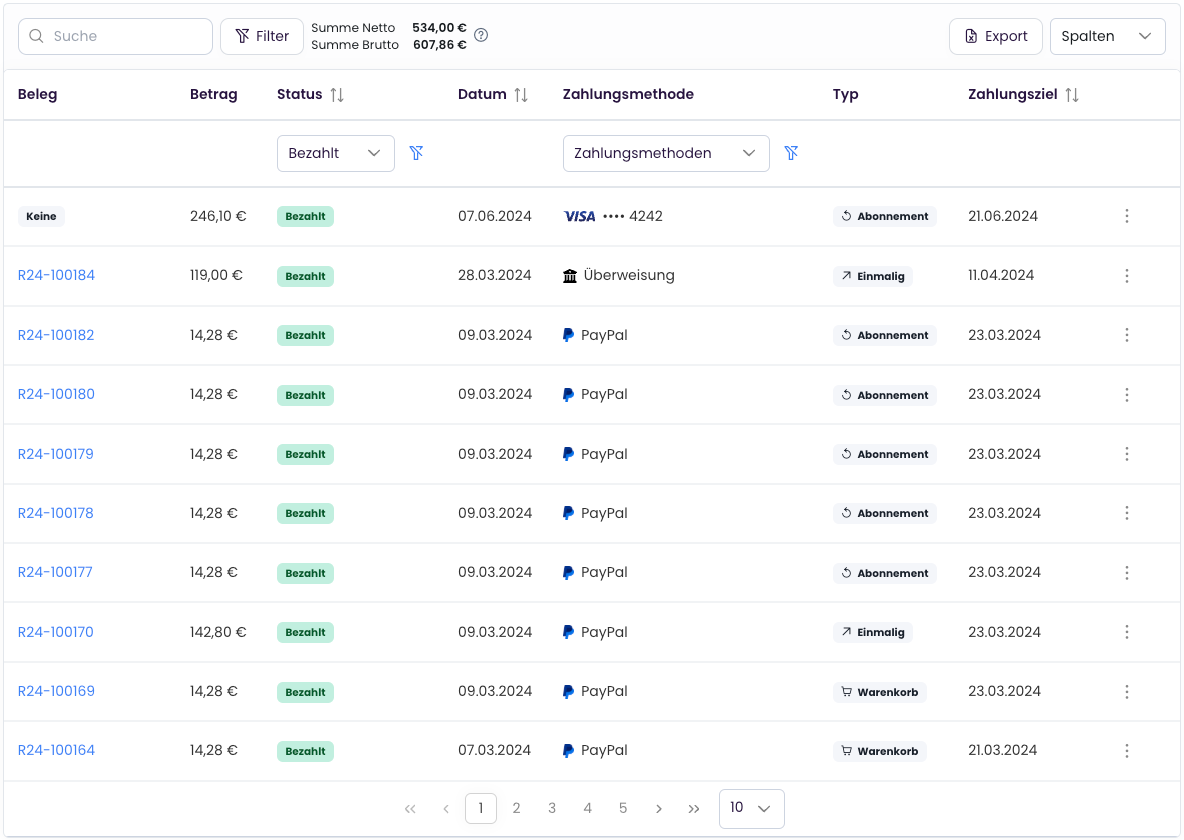
API
Custom Fields
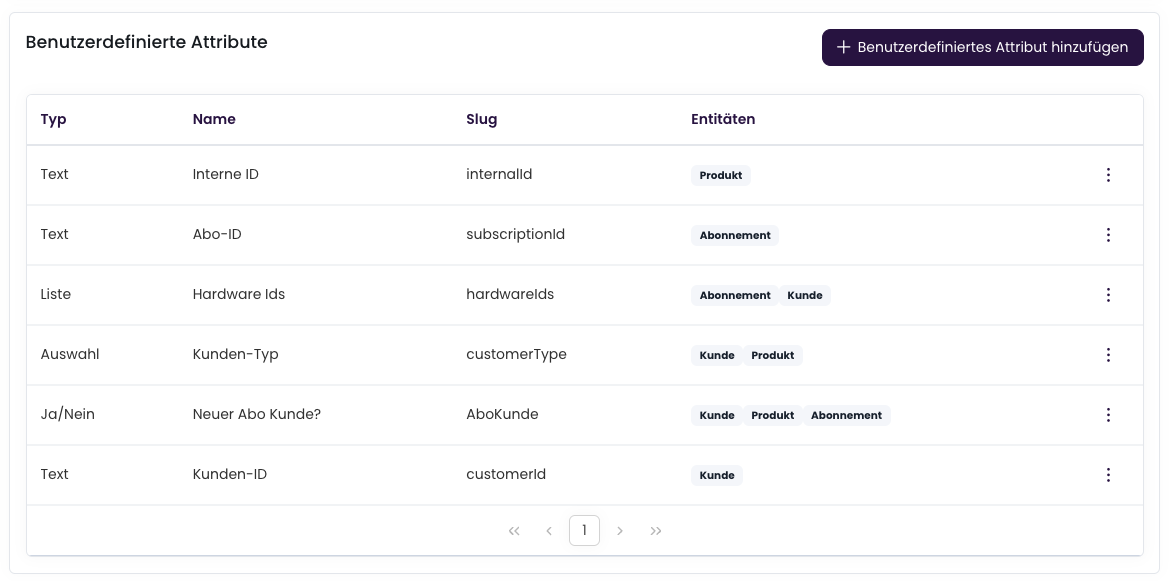
Catalogue
Feature Management
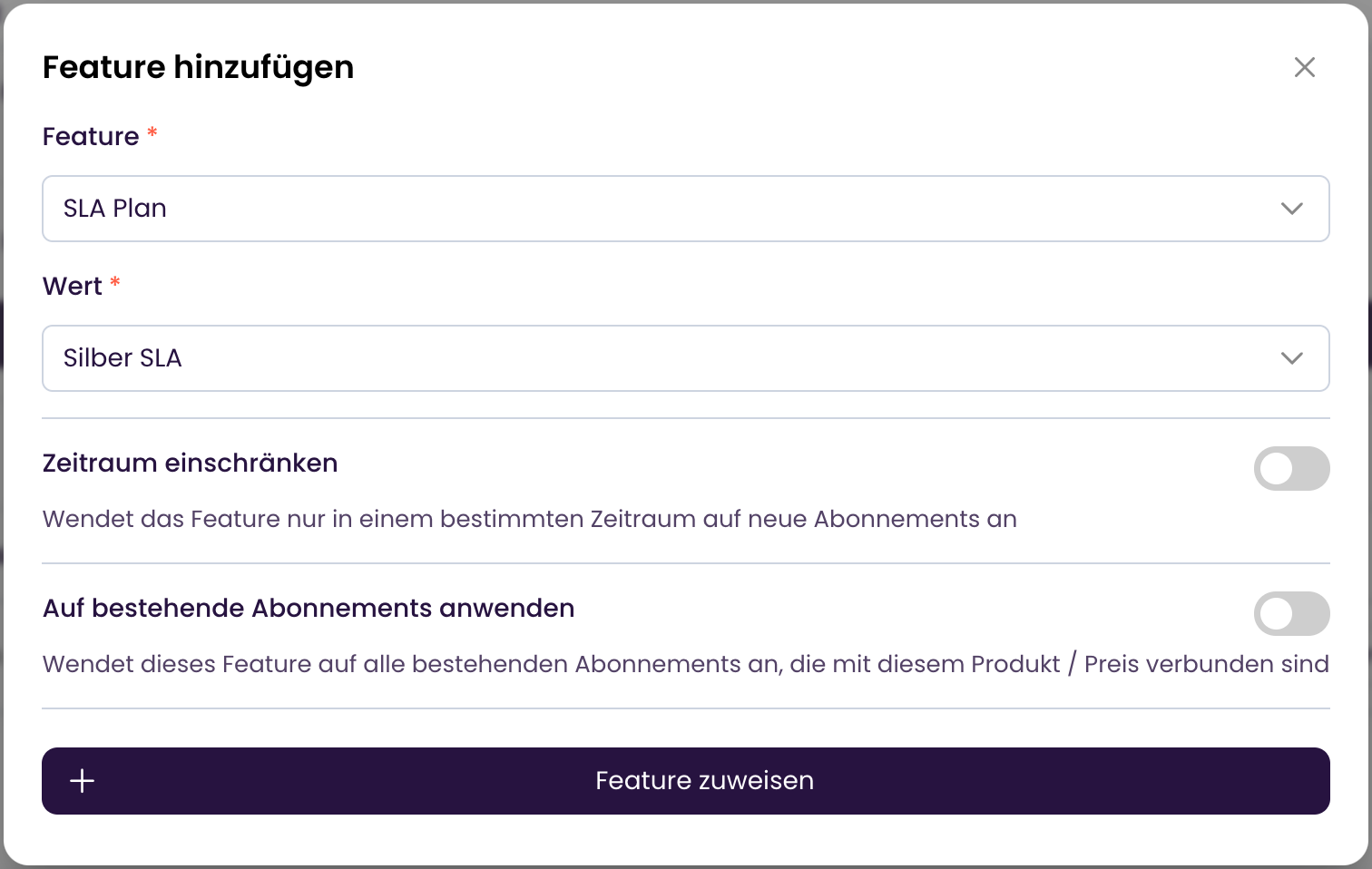
This extension is currently available free of charge for all customers.
Notifications
Improved Email Display
Email display has been improved. The company logo is now displayed at an optimal size in emails.UI
Add Payment Method via Link
It is now possible to send customers a link to add a new payment method. This allows customers to quickly and easily add a payment method and settle open invoices.More details in the documentationUI
Add Comments
It is now possible to add comments to activities. This allows additional information to be recorded for activities. This facilitates traceability and documentation within the team.More details in the documentationCheckout
Checkout Sessions
It is now possible to reuse the shopping cart to sell multiple products in one checkout process, for example. This allows customers to purchase multiple products in one checkout process without losing the shopping cart.More details in the documentationCheckout
Adjust Product Quantity
It is now possible to change the quantity of a product in the shopping cart afterward. This allows customers to adjust the quantity of a product in the cart without generating a new checkout link.More details in the documentationCustomerfront
Send / Generate Login Link
You can now send customers a personalized login link or generate one in the wallet. This allows customers to easily and securely log into their customer portal without entering a one-time password.Additionally, you can now offer login to the customer portal via the API without requiring further customer interaction.More details in the documentationExtended Customization Available
It is now possible to customize the customer portal even more extensively. This allows you to better tailor the customer portal to your requirements. Which areas can be customized can be found here:More details in the documentationBehavior on Cancellation During Trial Period
It is now possible to define the behavior on cancellation during the trial period. This allows you to specify whether the subscription ends immediately or at the end of the trial period.More details in the documentationUI
Activity Log
The activity log has been improved and now shows more detailed information about activities. Additionally, it is now also displayed for subscriptions, customers, and invoices.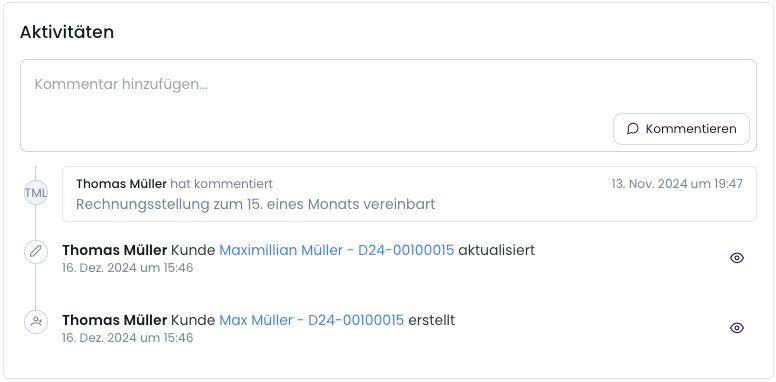
Subscriptions
Billing Subscriptions with Past Start Date
Subscriptions that were created late, for example, can now be created with a billing start date in the past. Previously, each billing interval was billed once nightly, which in turn led to multiple invoices and delayed billing.Previously Subscription creation on 12/18/2024Subscription start on 10/1/2024At subscription creation, 10/1 - 10/31 is billed.On 12/19, 11/1 - 11/30 is billed.On 12/20, 12/1 - 12/31 is billed.NewAt subscription creation on 12/18/2024, the period 10/1 - 12/31 is billed in one invoice, without being split into multiple invoices. This significantly simplifies maintenance and traceability.
Subscriptions
Revoke Cancellations
It is now possible to revoke subscription cancellations in the wallet. This allows you to undo a cancellation.More details in the documentationAnalytics
Catalogue
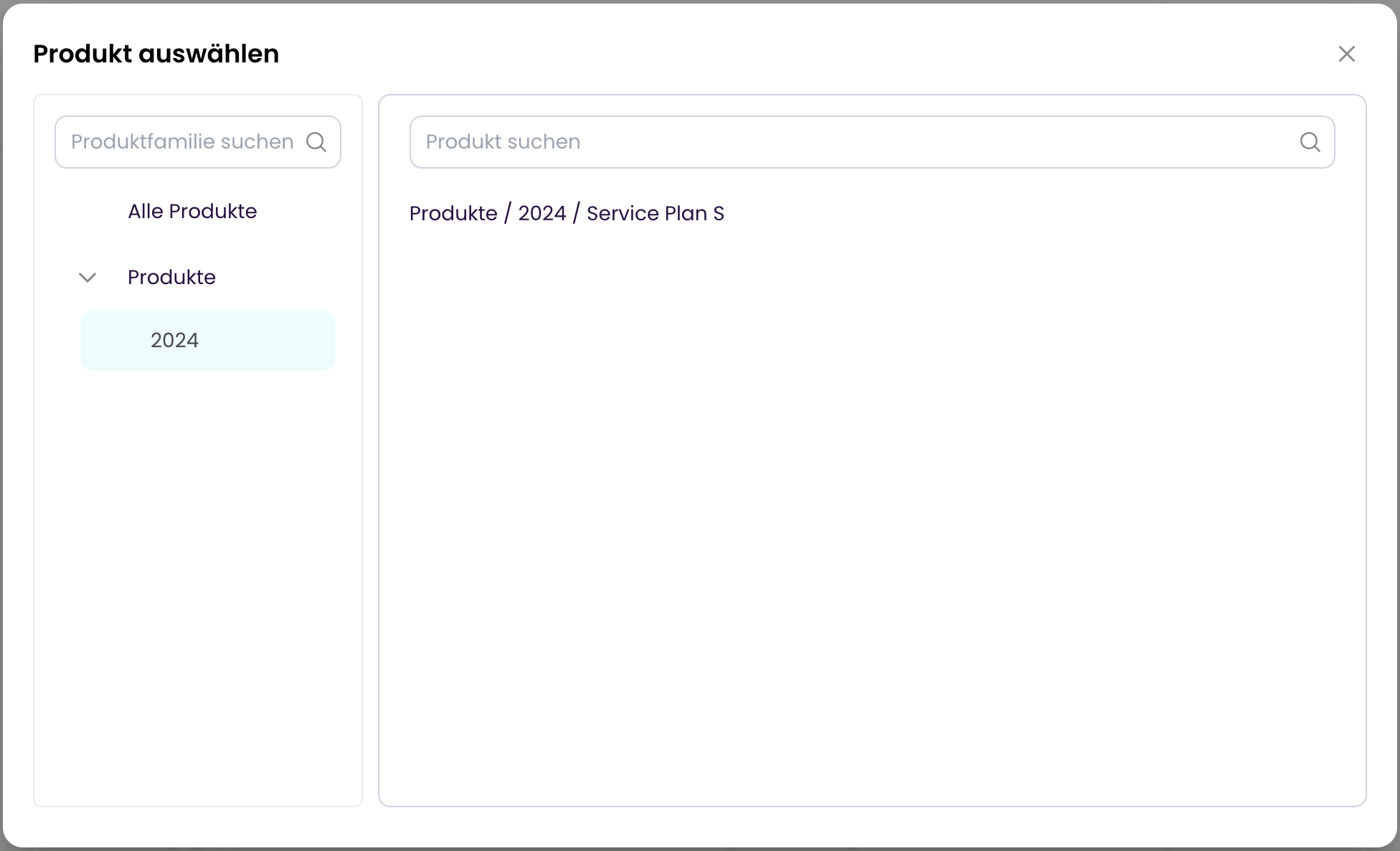
Improved Product Selection
Catalogue
Product Multilingualism
It is now possible to store products in multiple languages. This allows products to be displayed in different languages. Additionally, invoices are created in the customer’s language. Currently, German and English are available. Additional languages can be added upon request.The language can be set in the customer master data settings.UI
Improved Subscription/Customer List
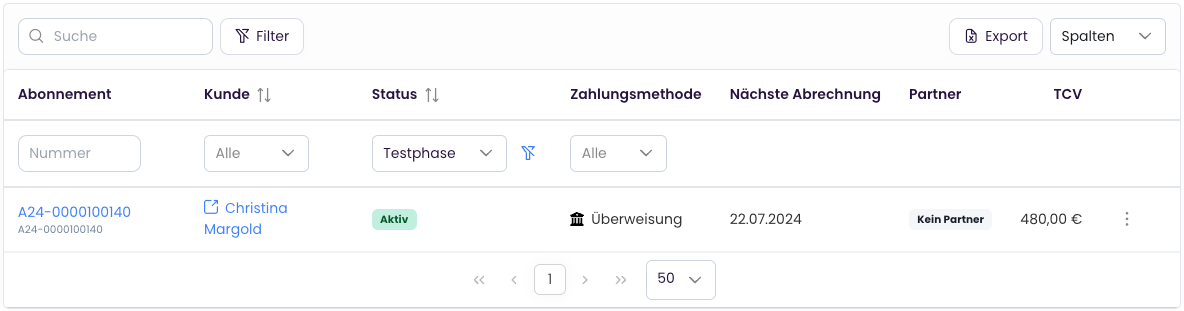
UI
Improved Search
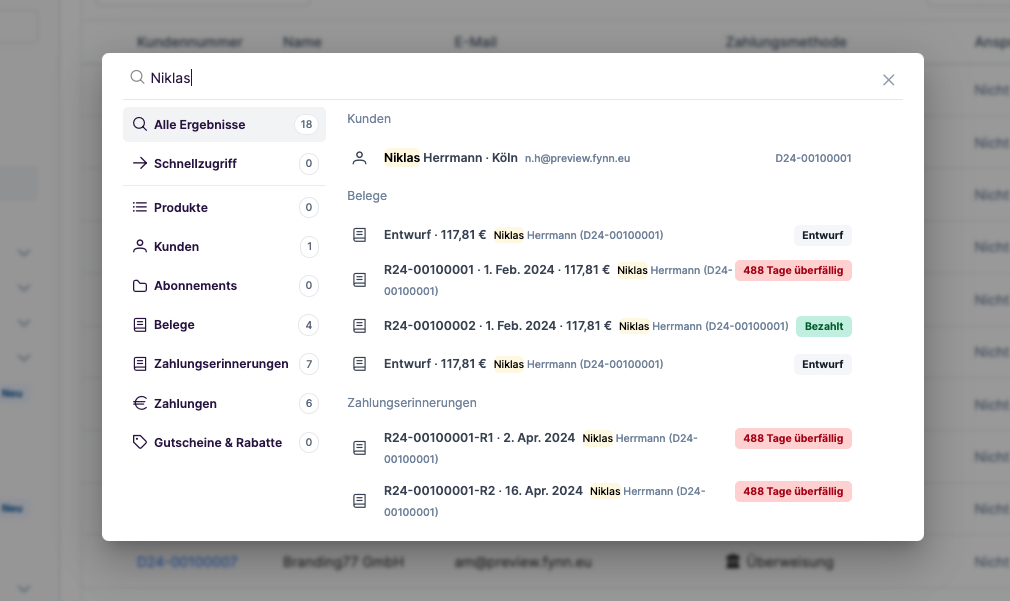
API
Improved API Documentation
The API documentation has been improved and expanded with additional information or adjusted. The API remains fully compatible and offers all previous functions.Webhooks
The following webhooks have been added:feature.created- A new feature was created.feature.updated- A feature was updated.feature.archived- A feature was archived.entitlement.state.updated- The currently valid features for a subscription were updated (e.g., by: a subscription change; feature changes; a feature was added or removed via “valid from” / “valid until”; a product was cancelled / adjusted and its features accordingly).
Checkout
Require Company Information in Checkout
When creating a checkout link, you can now specify under “More Options” whether the customer is required to provide company information. This ensures you only sell to businesses.More details in the documentationCheckout
Set Contract Terms in Checkout
When creating a checkout link, you can now specify contract and cancellation periods for recurring products under “More Options”. The terms are then transferred to the subscription.More details in the documentationCheckout
Metadata & Placeholders in Checkout Links
You can now use metadata and placeholders when creating a checkout link. Metadata is useful for transmitting information about the customer or order, for example, and using it later in webhooks or redirect URLs.Additionally, you can now use metadata as placeholders in checkout links to transmit, for example, the customer name or order number.More details in the documentationBilling
Open Items List Export
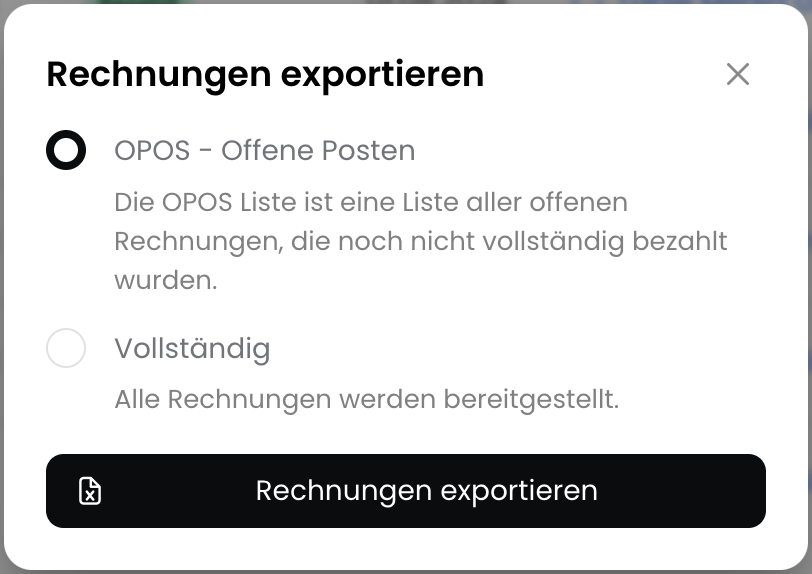
Billing
Cancel Subscriptions
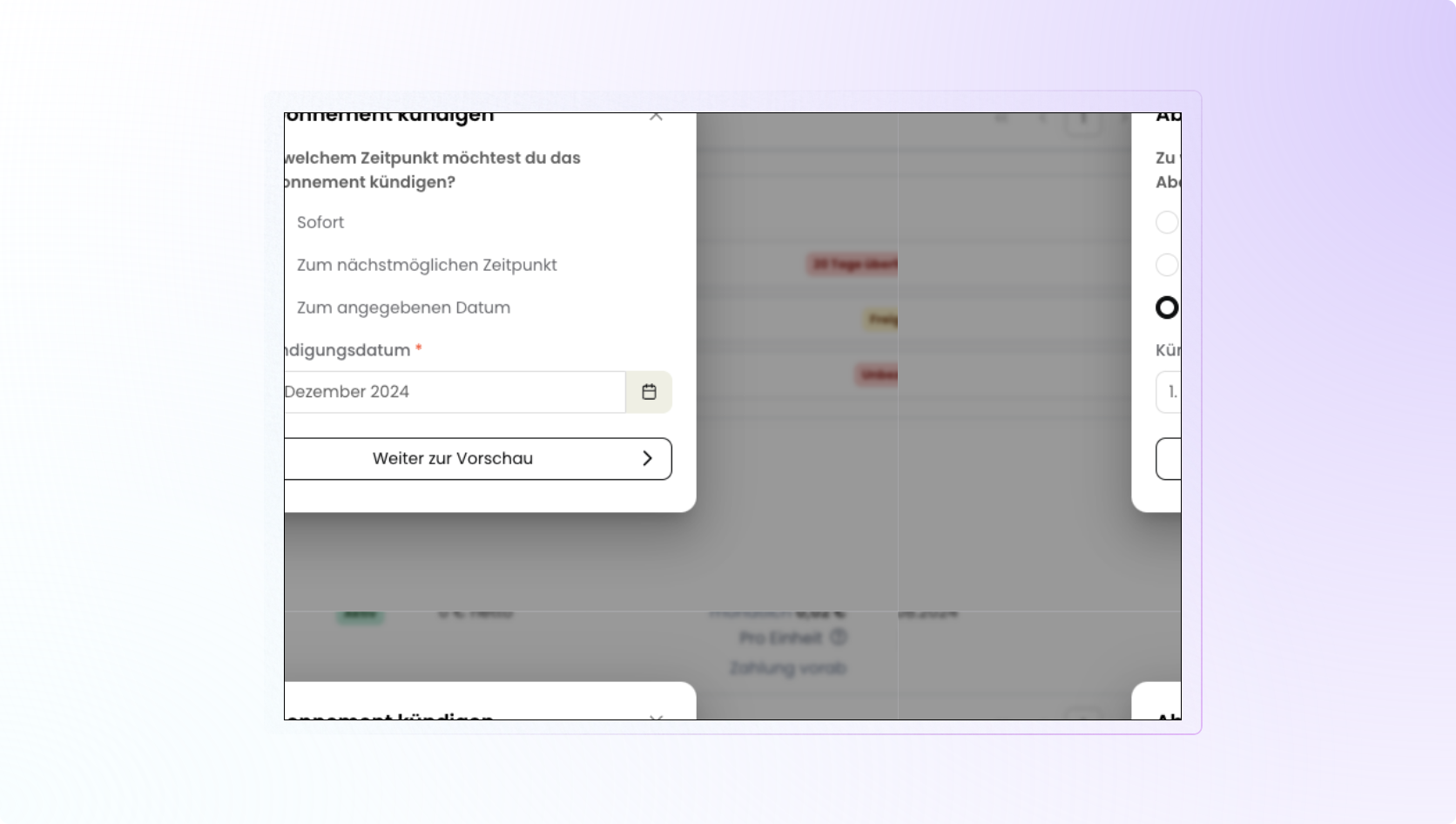 Subscriptions can now be cancelled at various points in time.
Different terms and notice periods of a subscription are taken into account.Additionally, the customer can optionally receive an automatic cancellation confirmation with the most important information by email.More details in the documentation
Subscriptions can now be cancelled at various points in time.
Different terms and notice periods of a subscription are taken into account.Additionally, the customer can optionally receive an automatic cancellation confirmation with the most important information by email.More details in the documentationCheckout
Coupon Codes in Shopping Cart
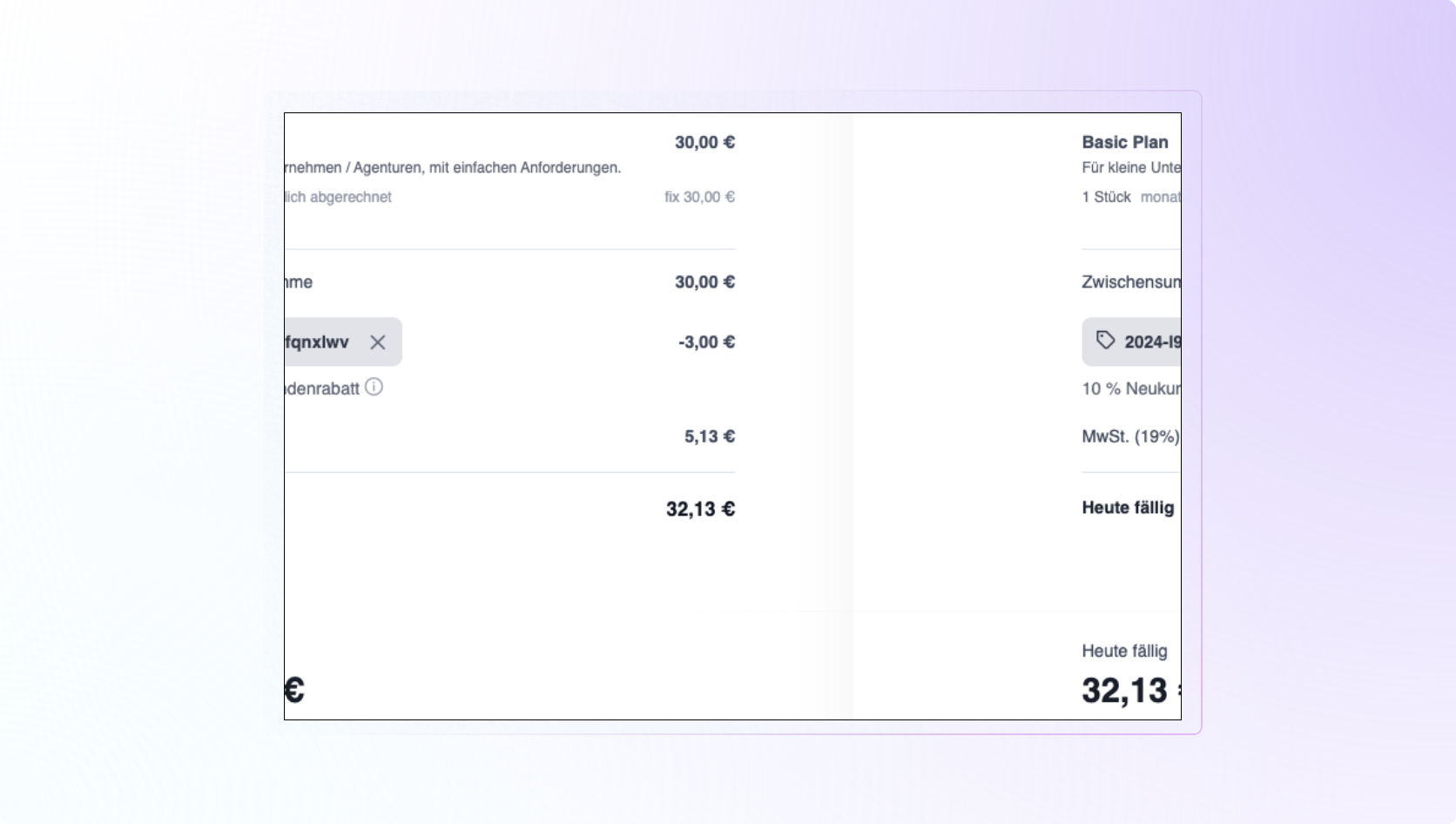 Created discounts and coupons can now be redeemed in the shopping cart.
The customer can enter the coupon code in the shopping cart and the discount is automatically deducted.More details in the documentation
Created discounts and coupons can now be redeemed in the shopping cart.
The customer can enter the coupon code in the shopping cart and the discount is automatically deducted.More details in the documentationCustomers
Export Customer Data
It is now possible to export all customer data with just one click. The export can be downloaded in CSV format and contains all relevant customer information.Go to documentationCatalogue
Archive Products
Products can now be archived to keep your product catalog organized over time. Archived products can be restored and edited at any time.Go to documentationCatalogue
Archive Products
Products can now be archived to keep your product catalog organized over time. Archived products can be restored and edited at any time.Go to documentationPayments
SEPA Direct Debit Collection via EBICS Interface
Previously, when using the SEPA direct debit house bank integration, direct debits could only be submitted manually. With the EBICS interface, direct debits can now be submitted automatically, making the process more efficient.If you would like to use the EBICS interface, send us a short message and we’ll be happy to help.Payments
Invoice Reconciliation: Multiple Invoices in One Transfer
Customers often like to transfer multiple invoices in one payment instead of making a separate transfer for each invoice.With this update, Fynn can now automatically detect which invoices were paid in a transfer and assign the payments accordingly.Catalogue
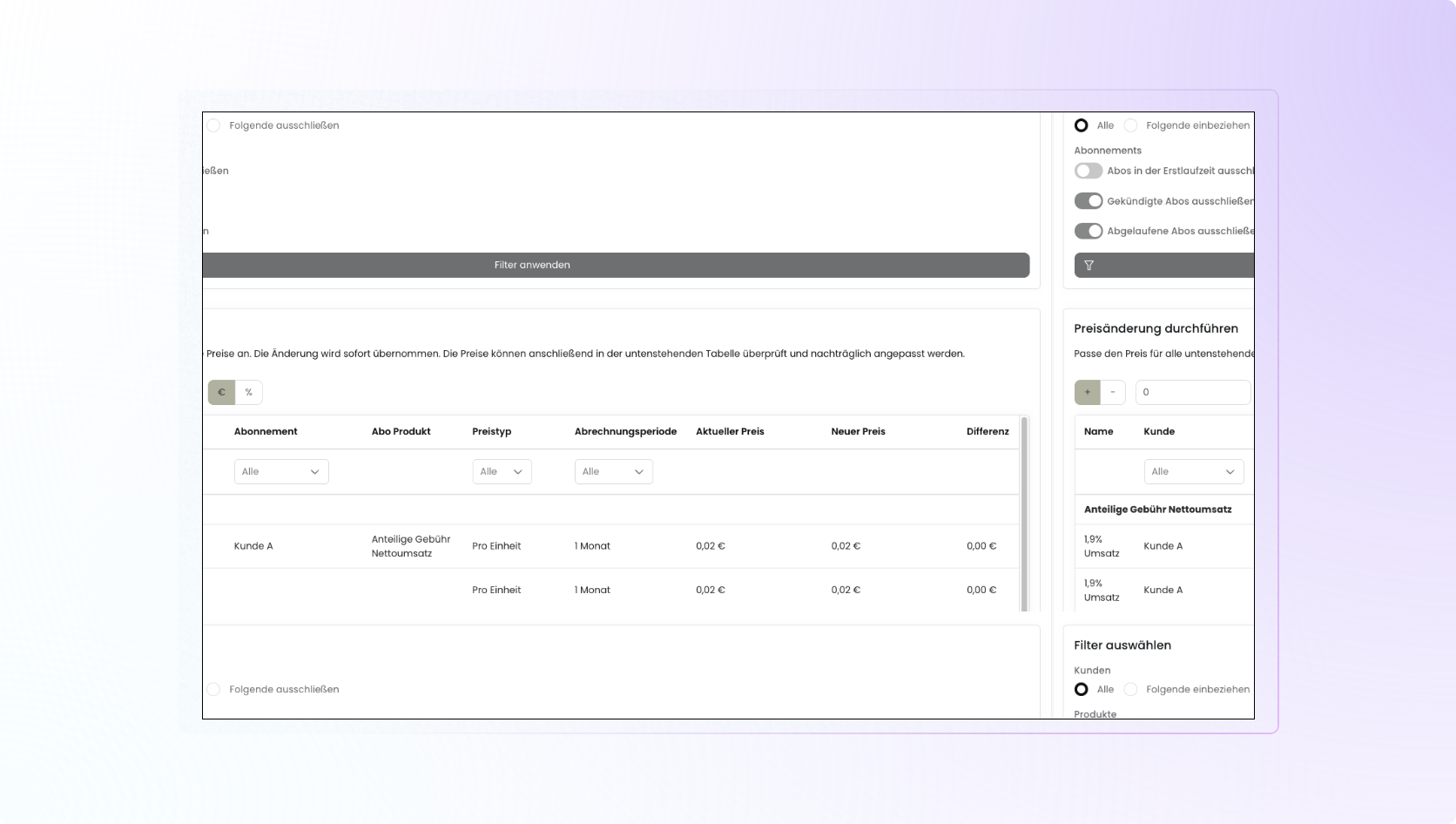
Price Update Assistant