

Due Date
Set the default due date for invoices in days. This setting will be applied to all customers unless individually customized.Manual Approval
Enable this option if invoices must be manually approved.Generate 0.00 Documents
If this option is enabled, documents for 0.00 will also be generated. Otherwise, they will be suppressed. This can be useful for creating transparency or ensuring that all transactions are documented.Billing Details
Displays a link to extended billing details in the invoices. This feature increases transparency and helps the customer better understand the billed services.GiroCode
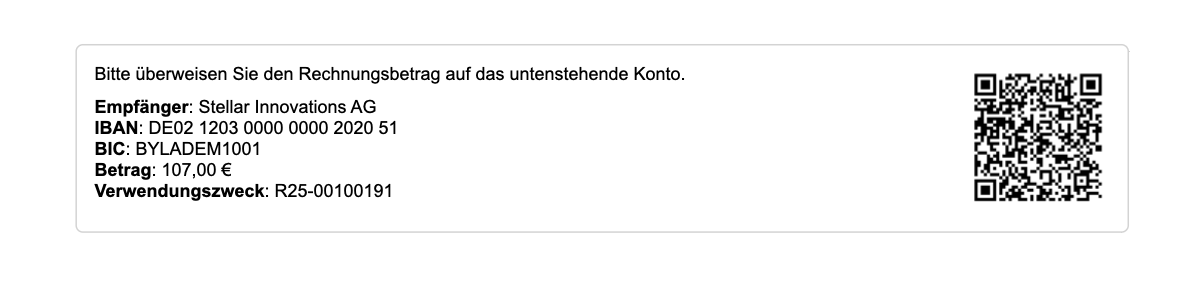
Prices
Enable this option to additionally display the price per unit (e.g., per month or piece) - in addition to the total price. Example: 10.00 / Month / PieceDisable Billing
This feature disables billing for all subscriptions. No new invoices will be created or sent. This option is particularly useful when migrations are being performed.Customize Settings
1
Open the Billing Settings
Go to Settings > Billing.
2
Adjust the desired options
Enable or disable the desired features such as “Manual Approval”, “Show GiroCode”, or “Generate 0.00 Documents”.
3
Click on Save
Save your changes in the top right corner.