

Add Currency
To add a new currency, follow these steps:1
Open the Settings
Go to Settings > General
2
Scroll to the Currencies section
3
Open one of the dropdowns and click on Add Currency

4
Select the new currency
5
Click on the check icon to save
Select Default Currency
The default currency is preselected in the interface, making work easier. To change the default currency, follow these steps:1
Open the Settings
Go to Settings > General
2
Scroll to the Currencies section
3
Click on the dropdown of the default currency you want to set as default

4
Select the new default currency
5
Click on Save
Allowed Currencies
Allowed currencies are the currencies that can be used in Fynn for billing. To remove a currency, simply remove it from the list of allowed currencies. Existing documents and invoices are not automatically converted when the currency is removed. However, the currency will no longer be offered for new selection in the interface.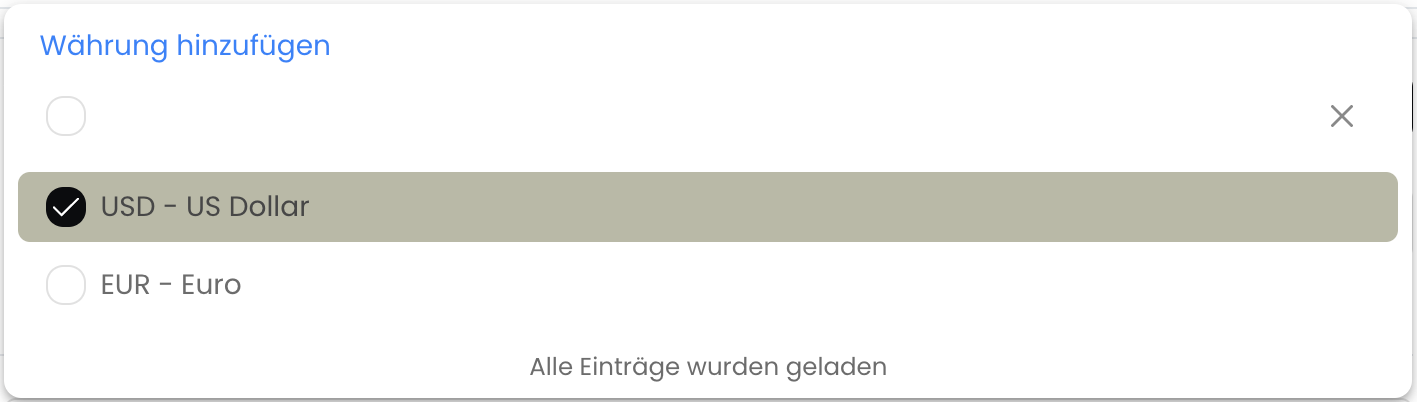
Multi-Currency
Fynn supports the use of multiple currencies in an invoice. The conversion is done automatically based on the current ECB exchange rate. The target currency corresponds to the currency selected when creating the invoice. If the invoice was created through subscription billing, the customer’s currency was used. The corresponding exchange rates are retrieved in real-time from the European Central Bank (ECB) and displayed in a table on the invoice.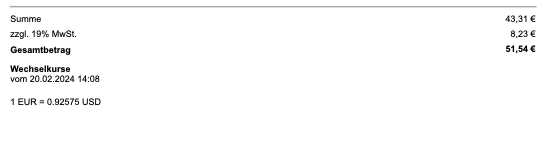
Display of exchange rates on the invoice